%20-%20https://sketch.com%20--%3e%3ctitle%3esearch_ico%3c/title%3e%3cdesc%3eCreated%20with%20Sketch.%3c/desc%3e%3cg%20id='elements'%20stroke='none'%20stroke-width='1'%20fill='none'%20fill-rule='evenodd'%3e%3cg%20id='svg_elements'%20transform='translate(-372.000000,%20-152.000000)'%20fill='%23131515'%3e%3cpath%20d='M387.655562,160.498039%20C387.655562,162.294118%20386.925169,163.922549%20385.746738,165.102941%20C385.745758,165.104902%20385.743797,165.104902%20385.742816,165.105882%20C385.740856,165.107843%20385.740856,165.108824%20385.739875,165.110784%20C384.558503,166.289216%20382.930071,167.019608%20381.133993,167.019608%20C377.537914,167.019608%20374.612424,164.094118%20374.612424,160.498039%20C374.612424,156.901961%20377.537914,153.976471%20381.133993,153.976471%20C384.730071,153.976471%20387.655562,156.901961%20387.655562,160.498039%20M381.133993,152%20C378.864385,152%20376.730071,152.884314%20375.125169,154.489216%20C373.520267,156.094118%20372.635954,158.228431%20372.635954,160.498039%20C372.635954,162.767647%20373.520267,164.901961%20375.125169,166.506863%20C376.730071,168.112745%20378.863405,168.996078%20381.133993,168.996078%20C383.070267,168.996078%20384.905562,168.348039%20386.399679,167.161765%20L390.948699,171.710784%20C391.134973,171.897059%20391.383993,172%20391.647718,172%20C391.911444,172%20392.159483,171.897059%20392.345758,171.710784%20C392.533012,171.52451%20392.635954,171.276471%20392.635954,171.011765%20C392.635954,170.748039%20392.533012,170.5%20392.346738,170.312745%20L387.797718,165.763725%20C388.983012,164.269608%20389.632032,162.434314%20389.632032,160.498039%20C389.632032,158.228431%20388.747718,156.094118%20387.142816,154.489216%20C385.537914,152.884314%20383.403601,152%20381.133993,152'%20id='search_ico'%3e%3c/path%3e%3c/g%3e%3c/g%3e%3c/svg%3e)
%20-%20https://sketch.com%20--%3e%3ctitle%3ebasket_ico%3c/title%3e%3cdesc%3eCreated%20with%20Sketch.%3c/desc%3e%3cg%20id='elements'%20stroke='none'%20stroke-width='1'%20fill='none'%20fill-rule='evenodd'%3e%3cg%20id='svg_elements'%20transform='translate(-604.000000,%20-152.000000)'%20fill='%23FFFFFF'%20fill-rule='nonzero'%3e%3cpath%20d='M617.885886,152.156132%20C618.251208,151.893333%20618.764816,151.969846%20619.033242,152.328759%20L619.033242,152.328759%20L623.508326,158.308798%20L625.787011,158.308798%20C626.028367,158.308798%20626.257391,158.412965%20626.413369,158.593644%20C626.569346,158.774324%20626.636377,159.013262%20626.596631,159.246552%20L626.596631,159.246552%20L624.544393,171.326984%20C624.478478,171.715449%20624.136145,172%20623.734729,172%20L623.734729,172%20L607.48092,172%20C607.079805,172%20606.737214,171.715154%20606.671257,171.326984%20L606.671257,171.326984%20L604.619019,159.246552%20C604.579358,159.013009%20604.64639,158.774366%20604.802367,158.593686%20C604.958344,158.413007%20605.187368,158.30884%20605.428725,158.30884%20L605.428725,158.30884%20L607.488225,158.30884%20L611.963352,152.328759%20C612.231779,151.970352%20612.745644,151.893038%20613.110966,152.156132%20C613.476287,152.419478%20613.55535,152.923365%20613.286923,153.282026%20L613.286923,153.282026%20L609.525167,158.30884%20L621.471685,158.30884%20L617.709929,153.282026%20C617.44176,152.923661%20617.520307,152.419478%20617.885886,152.156132%20Z%20M624.818105,159.919568%20L606.397674,159.919568%20L608.176286,170.389273%20L623.039492,170.389273%20L624.818105,159.919568%20Z%20M615.607889,161.798742%20C616.061297,161.798742%20616.428767,162.159258%20616.428767,162.604085%20L616.428767,162.604085%20L616.428767,167.892644%20C616.428767,168.337766%20616.061297,168.698028%20615.607889,168.698028%20C615.154481,168.698028%20614.787011,168.337513%20614.787011,167.892686%20L614.787011,167.892686%20L614.787011,162.604085%20C614.787011,162.159258%20615.154481,161.798742%20615.607889,161.798742%20Z%20M619.849179,161.798742%20C620.302587,161.798742%20620.670057,162.159258%20620.670057,162.604085%20L620.670057,162.604085%20L620.670057,167.892644%20C620.6701,168.337766%20620.30263,168.698028%20619.849179,168.698028%20C619.395771,168.698028%20619.028301,168.337513%20619.028301,167.892686%20L619.028301,167.892686%20L619.028301,162.604085%20C619.028301,162.159258%20619.395771,161.798742%20619.849179,161.798742%20Z%20M611.366599,161.798742%20C611.820007,161.798742%20612.187478,162.159258%20612.187478,162.604085%20L612.187478,162.604085%20L612.187478,167.892644%20C612.187478,168.337766%20611.820007,168.698028%20611.366599,168.698028%20C610.913191,168.698028%20610.545721,168.337513%20610.545721,167.892686%20L610.545721,167.892686%20L610.545721,162.604085%20C610.545721,162.159258%20610.913191,161.798742%20611.366599,161.798742%20Z'%20id='basket_ico'%3e%3c/path%3e%3c/g%3e%3c/g%3e%3c/svg%3e)
An IP camera works during the day but starts rebooting at night. Or several access points are installed, and some devices begin disconnecting. One possible cause is an insufficient PoE power budget.
Choosing a PoE switch is not just about the number of ports. You also need to check the PoE standard, the power requirements of connected devices, the total available budget, and network bandwidth.
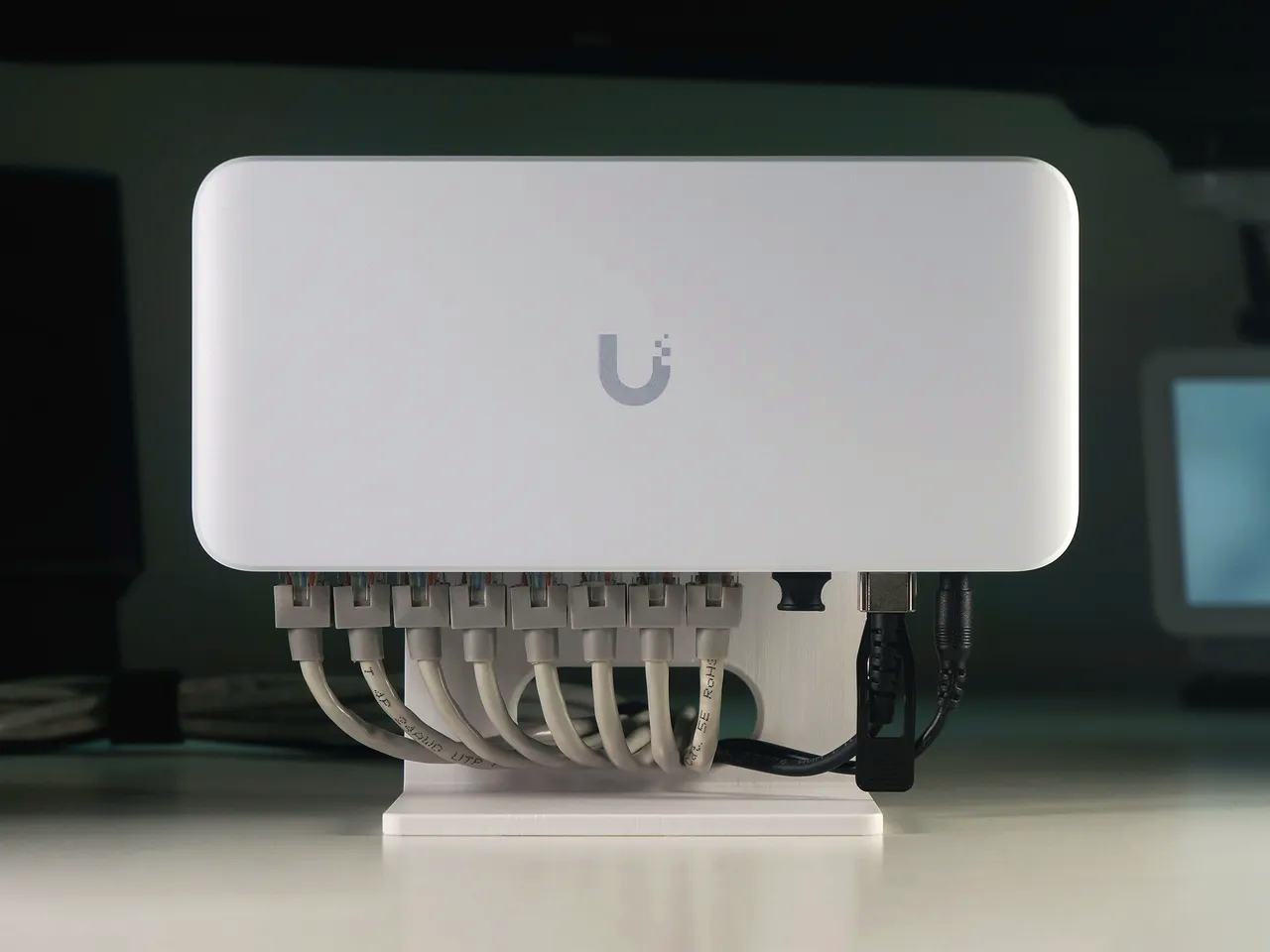
UniFi PoE switch with connected Ethernet cables
Key Takeaways
- The number of PoE ports and the total power budget are different specifications.
- PoE, PoE+, and PoE++ support different power levels.
- Calculate the budget using the devices’ maximum power draw, not just their typical load.
- Power headroom and sensible load distribution help prevent outages and make expansion easier.
Table of Contents
How Does Power over Ethernet Work?
Power over Ethernet (PoE) carries both data and electrical power through a single Ethernet cable.
For example, a ceiling-mounted access point or an IP camera does not necessarily need a nearby wall socket. If it supports a compatible PoE standard, it can receive power directly from a switch.
There are two common ways to provide that power:
- PoE switch — supplies data and power through designated Ethernet ports.
- PoE injector — adds power to an Ethernet connection for a single device.
For one camera, a compatible PoE injector may be sufficient. With several devices, a PoE switch is usually easier to deploy and manage.
What Is the Difference Between PoE, PoE+, and PoE++?
The main difference is the amount of power available to a connected device.
| Standard | Power at the source port | Typical use |
| PoE (802.3af) | Up to 15.4 W | IP phones, basic cameras, low-power APs |
| PoE+ (802.3at) | Up to 30 W | More capable APs and cameras with extra functions |
| PoE++ (802.3bt) | Up to 60 or 90 W, depending on type | High-power APs, certain PTZ cameras, and other demanding devices |
These figures describe the power available at the sourcing port. The device itself may receive less because of cable losses.
Important: Passive PoE is not the same as standards-based IEEE PoE. With passive power, check the voltage, pinout, and device compatibility separately.
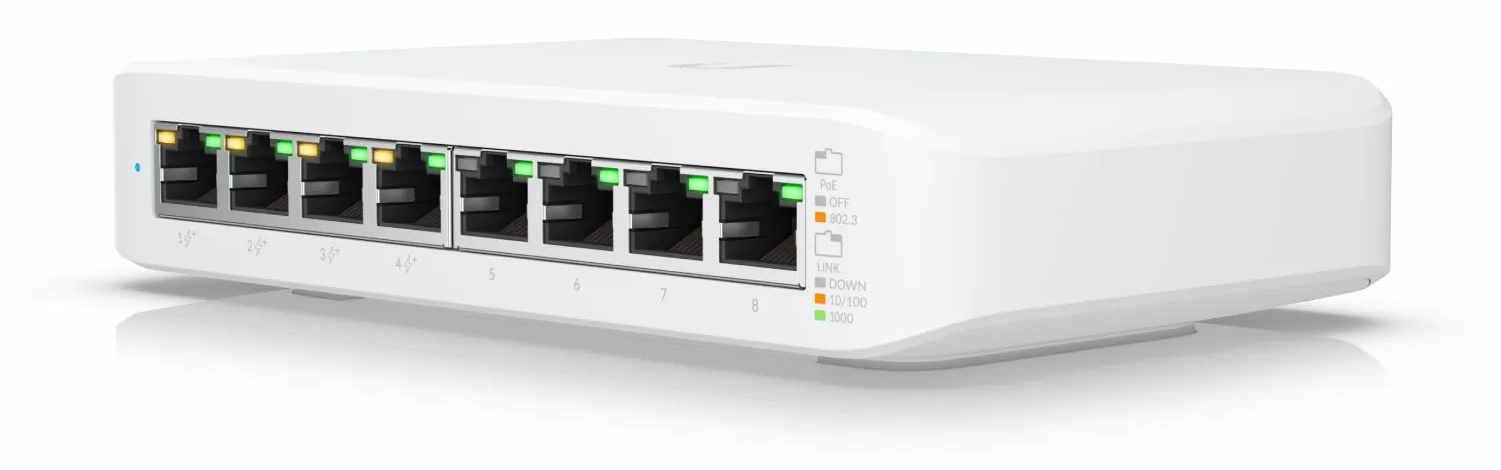
UniFi Switch Lite 8 PoE with four PoE+ ports
How Do You Calculate the PoE Power Budget?
Suppose a small office needs to power:
- 3 access points rated at 15 W each
- 3 IP cameras rated at 12 W each
3 × 15 W + 3 × 12 W = 81 W
With 25% headroom, the required total PoE budget is approximately 102 W.
This is an illustrative calculation, not the actual consumption of a specific product. In a real installation, use the maximum power draw listed in each device’s documentation.
Why leave headroom? Some cameras draw more power when their IR illumination, heater, or motorised mechanisms turn on. A camera that runs reliably during the day can therefore encounter power problems at night.
Always check two separate limits: the maximum power available per PoE port and the total PoE budget of the switch.
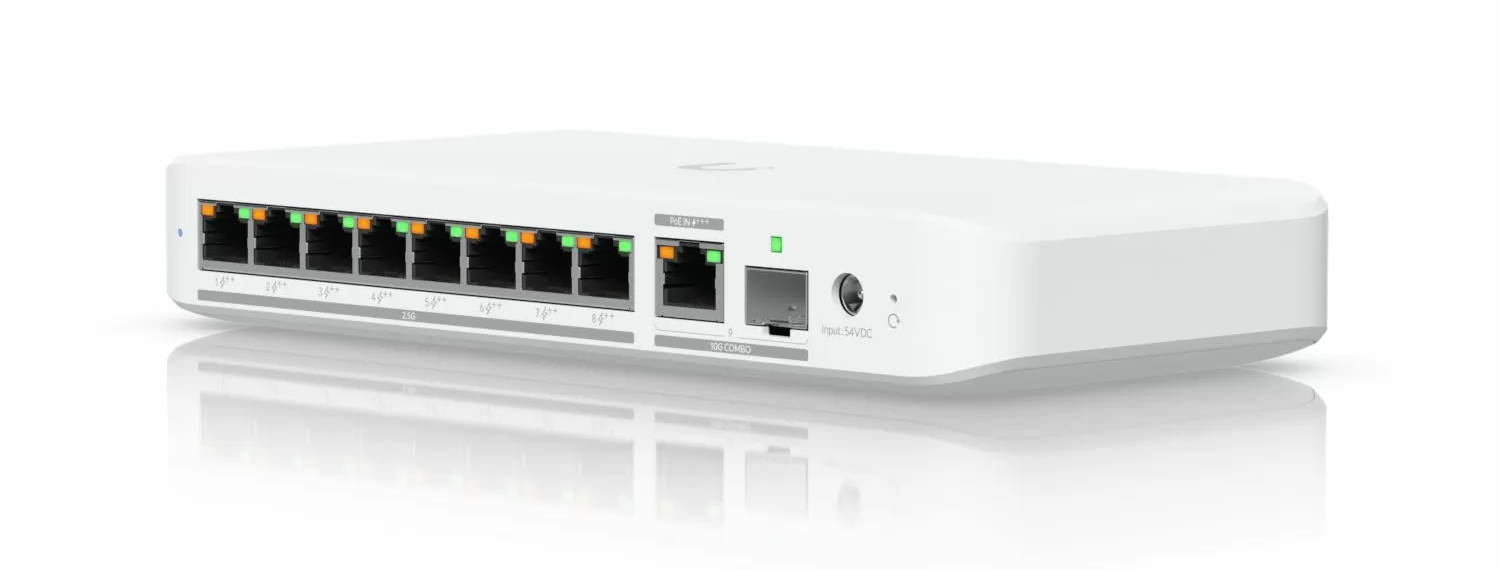
UniFi Flex 2.5G 8 PoE — available power budget depends on the power source
Which PoE Switch Should You Choose?
Choose by the number of powered devices, their peak demand, and the required uplink speed. These three Getic models cover different installation sizes.
UniFi Switch Lite 8 PoE: Small Installations
Ubiquiti USW-Lite-8-PoE has eight 1 GbE ports, four with PoE+, and a total PoE budget of 52 W. It suits small setups when the devices’ combined maximum draw stays within that limit.
UniFi Switch Flex 2.5G 8 PoE: Faster Ports and PoE++
Ubiquiti USW-Flex-2.5G-8-PoE has eight 2.5 GbE PoE++ ports and 10 GbE uplinks. With a compatible external 210 W adapter, its PoE budget reaches 196 W; when powered via PoE, it drops to 16–76 W depending on the input standard.
MikroTik CRS328-24P-4S+RM: Larger Networks
MikroTik CRS328-24P-4S+RM offers 24 Gigabit PoE ports and four 10G SFP+ uplinks. Its 450 W PoE budget is divided into three 150 W groups of eight ports, so loads must be distributed accordingly.
Quick Comparison
| Feature | UniFi Lite 8 PoE | UniFi Flex 2.5G 8 PoE | MikroTik CRS328 |
| PoE ports | 4 | 8 | 24 |
| PoE standard | PoE+ | PoE++ | PoE+ |
| Total PoE budget | 52 W | Up to 196 W | 450 W |
| Ports / uplinks | 1 GbE | 2.5 GbE / 10 GbE | 1 GbE / 10G SFP+ |
Flex 2.5G: 196 W requires the external 210 W adapter. CRS328: maximum 150 W per eight-port group.
What Should You Check Before Installation?
Power draw: Add up the maximum wattages in the devices’ specifications, not their typical use.
Compatibility: Confirm the required IEEE PoE standard and per-port power limit; check Passive PoE separately.
Cabling: Check cable quality, terminations, and length; 100 m is the usual copper Ethernet channel limit.
Uplink capacity: Allow for combined camera streams and access-point traffic.
Expansion: Leave spare ports and power budget for additional devices.
Which Metrics Should You Check After Deployment?
Confirm the switch can support the actual load, not just power devices on:
PoE consumption and remaining budget: Identify ports or groups nearing their power limits.
Port errors: Spot potential cable and connection faults.
Uplink utilisation: Check for congestion under normal traffic.
Device uptime: Find unexpected camera or access-point restarts.
For IP cameras, repeat the checks at night when IR illumination or other features may increase power demand.
When PoE Helps — and When It Does Not
When it helps: Powering cameras and access points where running separate electrical cables is inconvenient.
When it does not: A higher-power switch cannot fix weak Wi-Fi coverage, damaged Ethernet cables, or insufficient uplink bandwidth.
Conclusion
Select a PoE switch by standards compatibility, power per port, total power budget, and available ports. Then check uplink speed and leave headroom for growth. The right choice is the one that meets the actual load—not simply the model with the most ports.


