%20-%20https://sketch.com%20--%3e%3ctitle%3esearch_ico%3c/title%3e%3cdesc%3eCreated%20with%20Sketch.%3c/desc%3e%3cg%20id='elements'%20stroke='none'%20stroke-width='1'%20fill='none'%20fill-rule='evenodd'%3e%3cg%20id='svg_elements'%20transform='translate(-372.000000,%20-152.000000)'%20fill='%23131515'%3e%3cpath%20d='M387.655562,160.498039%20C387.655562,162.294118%20386.925169,163.922549%20385.746738,165.102941%20C385.745758,165.104902%20385.743797,165.104902%20385.742816,165.105882%20C385.740856,165.107843%20385.740856,165.108824%20385.739875,165.110784%20C384.558503,166.289216%20382.930071,167.019608%20381.133993,167.019608%20C377.537914,167.019608%20374.612424,164.094118%20374.612424,160.498039%20C374.612424,156.901961%20377.537914,153.976471%20381.133993,153.976471%20C384.730071,153.976471%20387.655562,156.901961%20387.655562,160.498039%20M381.133993,152%20C378.864385,152%20376.730071,152.884314%20375.125169,154.489216%20C373.520267,156.094118%20372.635954,158.228431%20372.635954,160.498039%20C372.635954,162.767647%20373.520267,164.901961%20375.125169,166.506863%20C376.730071,168.112745%20378.863405,168.996078%20381.133993,168.996078%20C383.070267,168.996078%20384.905562,168.348039%20386.399679,167.161765%20L390.948699,171.710784%20C391.134973,171.897059%20391.383993,172%20391.647718,172%20C391.911444,172%20392.159483,171.897059%20392.345758,171.710784%20C392.533012,171.52451%20392.635954,171.276471%20392.635954,171.011765%20C392.635954,170.748039%20392.533012,170.5%20392.346738,170.312745%20L387.797718,165.763725%20C388.983012,164.269608%20389.632032,162.434314%20389.632032,160.498039%20C389.632032,158.228431%20388.747718,156.094118%20387.142816,154.489216%20C385.537914,152.884314%20383.403601,152%20381.133993,152'%20id='search_ico'%3e%3c/path%3e%3c/g%3e%3c/g%3e%3c/svg%3e)
%20-%20https://sketch.com%20--%3e%3ctitle%3ebasket_ico%3c/title%3e%3cdesc%3eCreated%20with%20Sketch.%3c/desc%3e%3cg%20id='elements'%20stroke='none'%20stroke-width='1'%20fill='none'%20fill-rule='evenodd'%3e%3cg%20id='svg_elements'%20transform='translate(-604.000000,%20-152.000000)'%20fill='%23FFFFFF'%20fill-rule='nonzero'%3e%3cpath%20d='M617.885886,152.156132%20C618.251208,151.893333%20618.764816,151.969846%20619.033242,152.328759%20L619.033242,152.328759%20L623.508326,158.308798%20L625.787011,158.308798%20C626.028367,158.308798%20626.257391,158.412965%20626.413369,158.593644%20C626.569346,158.774324%20626.636377,159.013262%20626.596631,159.246552%20L626.596631,159.246552%20L624.544393,171.326984%20C624.478478,171.715449%20624.136145,172%20623.734729,172%20L623.734729,172%20L607.48092,172%20C607.079805,172%20606.737214,171.715154%20606.671257,171.326984%20L606.671257,171.326984%20L604.619019,159.246552%20C604.579358,159.013009%20604.64639,158.774366%20604.802367,158.593686%20C604.958344,158.413007%20605.187368,158.30884%20605.428725,158.30884%20L605.428725,158.30884%20L607.488225,158.30884%20L611.963352,152.328759%20C612.231779,151.970352%20612.745644,151.893038%20613.110966,152.156132%20C613.476287,152.419478%20613.55535,152.923365%20613.286923,153.282026%20L613.286923,153.282026%20L609.525167,158.30884%20L621.471685,158.30884%20L617.709929,153.282026%20C617.44176,152.923661%20617.520307,152.419478%20617.885886,152.156132%20Z%20M624.818105,159.919568%20L606.397674,159.919568%20L608.176286,170.389273%20L623.039492,170.389273%20L624.818105,159.919568%20Z%20M615.607889,161.798742%20C616.061297,161.798742%20616.428767,162.159258%20616.428767,162.604085%20L616.428767,162.604085%20L616.428767,167.892644%20C616.428767,168.337766%20616.061297,168.698028%20615.607889,168.698028%20C615.154481,168.698028%20614.787011,168.337513%20614.787011,167.892686%20L614.787011,167.892686%20L614.787011,162.604085%20C614.787011,162.159258%20615.154481,161.798742%20615.607889,161.798742%20Z%20M619.849179,161.798742%20C620.302587,161.798742%20620.670057,162.159258%20620.670057,162.604085%20L620.670057,162.604085%20L620.670057,167.892644%20C620.6701,168.337766%20620.30263,168.698028%20619.849179,168.698028%20C619.395771,168.698028%20619.028301,168.337513%20619.028301,167.892686%20L619.028301,167.892686%20L619.028301,162.604085%20C619.028301,162.159258%20619.395771,161.798742%20619.849179,161.798742%20Z%20M611.366599,161.798742%20C611.820007,161.798742%20612.187478,162.159258%20612.187478,162.604085%20L612.187478,162.604085%20L612.187478,167.892644%20C612.187478,168.337766%20611.820007,168.698028%20611.366599,168.698028%20C610.913191,168.698028%20610.545721,168.337513%20610.545721,167.892686%20L610.545721,167.892686%20L610.545721,162.604085%20C610.545721,162.159258%20610.913191,161.798742%20611.366599,161.798742%20Z'%20id='basket_ico'%3e%3c/path%3e%3c/g%3e%3c/g%3e%3c/svg%3e)
A reliable business Wi-Fi network is mainly a placement and capacity problem. The goal is to put access points where users actually work, give each AP a stable wired uplink, and keep neighbouring radios from competing for the same airtime.
Offices and warehouses need different RF decisions. Offices add walls, meeting rooms and dense client areas; warehouses add high ceilings, long aisles, metal racks and stock that changes the signal environment. The same planning method can cover both, but the layout must come first.
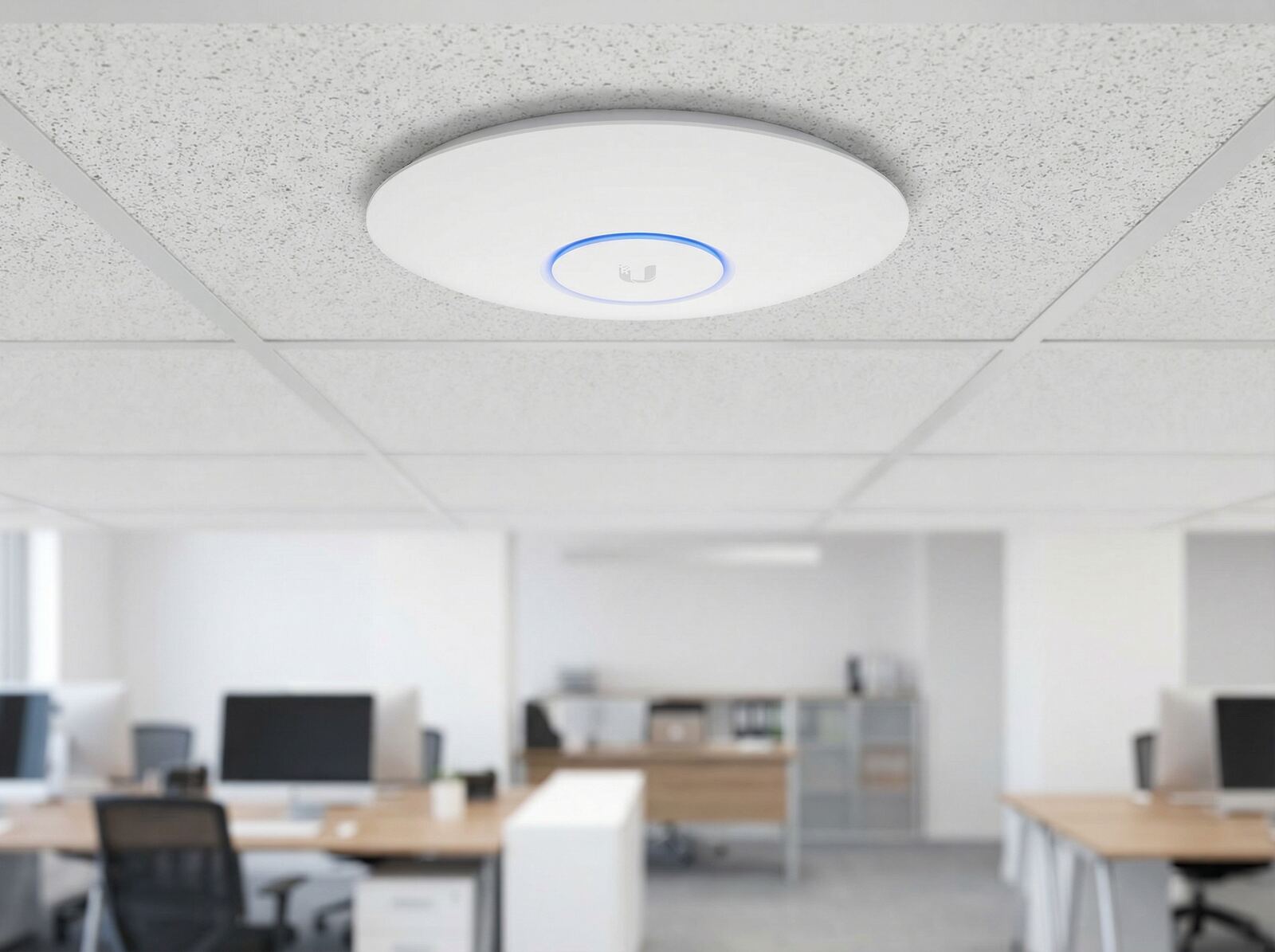
Ceiling-mounted Wi-Fi access point in an office environment.
Key Takeaways
- Start with the floor plan, client locations and network requirements — not a fixed AP-per-square-metre rule.
- Plan 5 GHz as the main capacity layer; verify 2.4 GHz separately for reach, legacy devices and IoT.
- Use wired Ethernet connections and PoE wherever practical.
- More APs are not automatically better: channel reuse, transmit power and overlap still matter.
- For warehouses, test with realistic stock levels and do not assume the highest mounting point is the best one.
Table of Contents
Start with the Floor Plan, Not an AP Count
There is no reliable rule such as “one access point per X square metres.” Two sites of the same size can need very different designs. An open office with laptops is not the same RF environment as a warehouse with steel racks, scanners and changing stock levels.
Mark the places that actually need service: desks, meeting rooms, loading zones, picking aisles, production cells and movement paths. Then mark major walls, racks, doors and machinery. A planning tool or heat map is useful for the first pass, but the installed network still needs to be measured and adjusted on site.
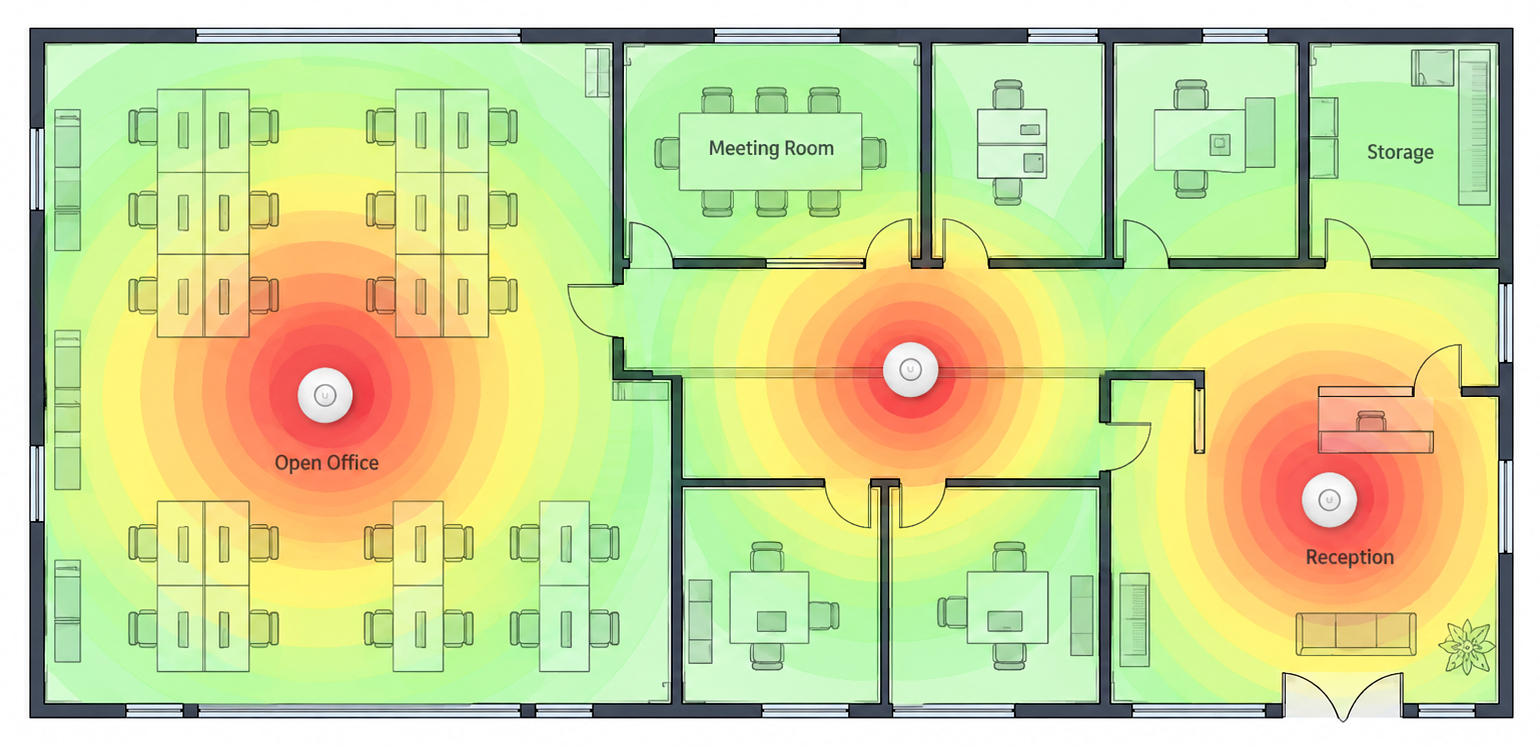
Example Wi-Fi coverage heat map used during office network planning.
Design Around 5 GHz and Real Client Locations
For modern laptops and phones, 5 GHz is usually the main capacity band. It offers more usable spectrum than 2.4 GHz but loses signal faster through distance and obstacles. That makes 5 GHz a better design constraint than simply checking whether a 2.4 GHz SSID is still visible. Wi-Fi 6 also improves efficiency in dense client areas through OFDMA, which divides a channel into resource units so multiple clients can be served within the same transmission opportunity. BSS Coloring helps devices distinguish overlapping Wi-Fi cells on the same channel, improving spatial reuse and reducing unnecessary contention.
Place APs around the areas where clients spend time, then tune the design from there. Avoid both extremes: large dead zones and excessive overlap between neighbouring APs. Too much overlap at high transmit power can make roaming less predictable and waste airtime.
Choose APs by Coverage Pattern and Management Platform
The AP model should match the location and the management ecosystem. A ceiling AP is a natural fit for open office areas, while long warehouse aisles may need different placement or a more focused antenna pattern.
| Example | Where it fits | Useful detail |
| MikroTik cAP ax | Ceiling or wall coverage in offices and open indoor zones | Dual-band Wi-Fi 6, 802.3af/at PoE-in, two Gigabit Ethernet ports; can be managed through WiFi CAPsMAN. |
| Ubiquiti UniFi U6 Pro | High-density office or shared indoor areas | Wi-Fi 6, 4x4 MIMO on 5 GHz, PoE; managed through UniFi Network. |
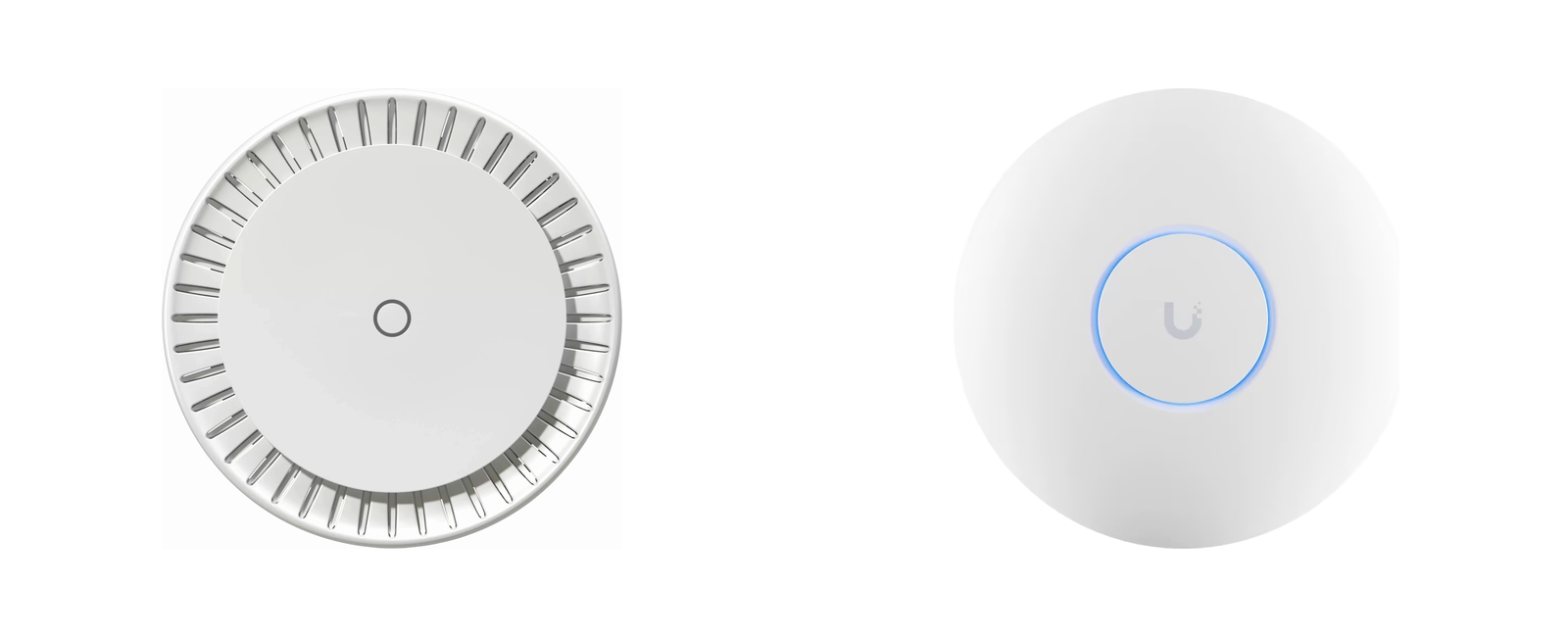
MikroTik cAP ax and Ubiquiti UniFi U6 Pro Wi-Fi 6 access points.
These are examples, not a rule to mix platforms. MikroTik and UniFi use different management systems. The wired network does not have to use the same brand as the access points. A compatible PoE switch can provide both Ethernet connectivity and power to access points from another vendor.
Product examples: MikroTik cAP ax at Getic · Ubiquiti UniFi U6 Pro at Getic
Build the Wired and PoE Layer First
For business Wi-Fi, each access point should use a wired Ethernet connection wherever practical. It gives every AP a predictable uplink and avoids spending wireless airtime on repeating traffic between nodes.
PoE also makes placement easier because one cable carries both data and power. A switch such as the MikroTik CRS328-24P-4S+RM can power multiple standards-based PoE devices and provides 24 Gigabit Ethernet ports plus four 10G SFP+ uplinks. The important planning step is to check the total PoE budget before APs, cameras and other powered devices are installed.
Plan Roaming and Channel Reuse Together
A shared SSID does not guarantee perfect roaming. The client still decides when to leave one AP and join another. Controller features can help: MikroTik WiFi CAPsMAN centralises settings across compatible MikroTik APs, while UniFi Network provides its own radio and roaming management for UniFi APs.
The RF plan matters just as much. If nearby APs use the same or heavily overlapping channels at high power, adding more hardware can reduce capacity. In denser deployments, 20 MHz channels are often preferable for channel reuse, while 40 MHz can be a reasonable compromise where higher per-client throughput is needed. Wider channels leave fewer channels available for reuse. After installation, verify which channels APs actually selected and adjust power or channel reuse where needed.
Warehouse Wi-Fi: High Ceilings, Racks and Changing Stock
Warehouses need a separate check because the environment changes. Metal racks create reflections and shadowing, and full stock can alter coverage compared with an empty building. A survey should therefore be repeated under realistic stock conditions.
High mounting is not automatically better. Every extra metre increases the client-to-AP distance. With very high warehouse ceilings, APs can be lowered on pendant mounts to bring them closer to clients. Where appropriate, APs with external directional antennas can focus coverage into specific aisles or working areas. In long, dense aisles, directional coverage along the aisle can be more effective than relying on a general ceiling pattern. The right answer depends on rack height, aisle geometry, client type and mounting constraints.

Warehouse aisle with high metal racks and stored inventory.
A Practical Mixed Office + Warehouse Layout
A simple design could use ceiling APs in shared office and open warehouse zones, with additional APs only where walls, aisles or client density justify them. All APs return by Ethernet to a central PoE switch. The controller keeps SSIDs and security consistent, while VLANs can separate corporate, guest, scanner or IoT traffic where required.
The useful principle is not a fixed number of APs. It is a repeatable architecture: plan the RF cells, cable the likely AP locations, choose one management platform, and leave enough switch and PoE capacity for expansion.
What Should You Measure After Installation?
| Metric | Why it matters |
| RSSI / SNR | Shows signal quality at desks, aisles and cell edges. |
| Channel utilisation | Reveals whether a strong signal is sitting on a busy channel. |
| Retries | High retries often point to interference or a weak link. |
| Latency / packet loss | Important for calls, scanners and interactive applications. |
| Roaming behaviour | Test while walking through the site with real client devices and active traffic. |
A single speed test beside an AP is not enough. Test where people actually work and at the edges between neighbouring cells.
When This Approach Helps / When It Won’t
This approach fits offices, warehouses and mixed sites that need predictable coverage, wired Ethernet connections, central management and a clear expansion path.
It will not fix a slow internet connection, overloaded uplinks, poor VLAN or firewall design, or an RF environment that was never surveyed. Adding more APs without changing channels or power can also make the network worse.
Deployment Checklist
- Get an accurate floor plan and mark major RF obstacles.
- Mark client locations, movement paths and high-demand zones.
- Plan 5 GHz coverage first and verify 2.4 GHz separately.
- Run Ethernet and calculate PoE capacity before mounting APs.
- Use one Wi-Fi management platform per AP ecosystem.
- Check channel reuse, transmit power and overlap after deployment.
- For warehouses, test again with realistic stock levels and real client devices.
Conclusion
Good Wi-Fi 6 in an office or warehouse is not mainly about buying the most powerful AP. It is about placing radios around real work zones, giving them wired Ethernet connections and power, controlling channel reuse, and validating the result on the actual site.
Once that foundation is correct, the hardware becomes easier to choose and the network becomes easier to expand.


