%20-%20https://sketch.com%20--%3e%3ctitle%3esearch_ico%3c/title%3e%3cdesc%3eCreated%20with%20Sketch.%3c/desc%3e%3cg%20id='elements'%20stroke='none'%20stroke-width='1'%20fill='none'%20fill-rule='evenodd'%3e%3cg%20id='svg_elements'%20transform='translate(-372.000000,%20-152.000000)'%20fill='%23131515'%3e%3cpath%20d='M387.655562,160.498039%20C387.655562,162.294118%20386.925169,163.922549%20385.746738,165.102941%20C385.745758,165.104902%20385.743797,165.104902%20385.742816,165.105882%20C385.740856,165.107843%20385.740856,165.108824%20385.739875,165.110784%20C384.558503,166.289216%20382.930071,167.019608%20381.133993,167.019608%20C377.537914,167.019608%20374.612424,164.094118%20374.612424,160.498039%20C374.612424,156.901961%20377.537914,153.976471%20381.133993,153.976471%20C384.730071,153.976471%20387.655562,156.901961%20387.655562,160.498039%20M381.133993,152%20C378.864385,152%20376.730071,152.884314%20375.125169,154.489216%20C373.520267,156.094118%20372.635954,158.228431%20372.635954,160.498039%20C372.635954,162.767647%20373.520267,164.901961%20375.125169,166.506863%20C376.730071,168.112745%20378.863405,168.996078%20381.133993,168.996078%20C383.070267,168.996078%20384.905562,168.348039%20386.399679,167.161765%20L390.948699,171.710784%20C391.134973,171.897059%20391.383993,172%20391.647718,172%20C391.911444,172%20392.159483,171.897059%20392.345758,171.710784%20C392.533012,171.52451%20392.635954,171.276471%20392.635954,171.011765%20C392.635954,170.748039%20392.533012,170.5%20392.346738,170.312745%20L387.797718,165.763725%20C388.983012,164.269608%20389.632032,162.434314%20389.632032,160.498039%20C389.632032,158.228431%20388.747718,156.094118%20387.142816,154.489216%20C385.537914,152.884314%20383.403601,152%20381.133993,152'%20id='search_ico'%3e%3c/path%3e%3c/g%3e%3c/g%3e%3c/svg%3e)
%20-%20https://sketch.com%20--%3e%3ctitle%3ebasket_ico%3c/title%3e%3cdesc%3eCreated%20with%20Sketch.%3c/desc%3e%3cg%20id='elements'%20stroke='none'%20stroke-width='1'%20fill='none'%20fill-rule='evenodd'%3e%3cg%20id='svg_elements'%20transform='translate(-604.000000,%20-152.000000)'%20fill='%23FFFFFF'%20fill-rule='nonzero'%3e%3cpath%20d='M617.885886,152.156132%20C618.251208,151.893333%20618.764816,151.969846%20619.033242,152.328759%20L619.033242,152.328759%20L623.508326,158.308798%20L625.787011,158.308798%20C626.028367,158.308798%20626.257391,158.412965%20626.413369,158.593644%20C626.569346,158.774324%20626.636377,159.013262%20626.596631,159.246552%20L626.596631,159.246552%20L624.544393,171.326984%20C624.478478,171.715449%20624.136145,172%20623.734729,172%20L623.734729,172%20L607.48092,172%20C607.079805,172%20606.737214,171.715154%20606.671257,171.326984%20L606.671257,171.326984%20L604.619019,159.246552%20C604.579358,159.013009%20604.64639,158.774366%20604.802367,158.593686%20C604.958344,158.413007%20605.187368,158.30884%20605.428725,158.30884%20L605.428725,158.30884%20L607.488225,158.30884%20L611.963352,152.328759%20C612.231779,151.970352%20612.745644,151.893038%20613.110966,152.156132%20C613.476287,152.419478%20613.55535,152.923365%20613.286923,153.282026%20L613.286923,153.282026%20L609.525167,158.30884%20L621.471685,158.30884%20L617.709929,153.282026%20C617.44176,152.923661%20617.520307,152.419478%20617.885886,152.156132%20Z%20M624.818105,159.919568%20L606.397674,159.919568%20L608.176286,170.389273%20L623.039492,170.389273%20L624.818105,159.919568%20Z%20M615.607889,161.798742%20C616.061297,161.798742%20616.428767,162.159258%20616.428767,162.604085%20L616.428767,162.604085%20L616.428767,167.892644%20C616.428767,168.337766%20616.061297,168.698028%20615.607889,168.698028%20C615.154481,168.698028%20614.787011,168.337513%20614.787011,167.892686%20L614.787011,167.892686%20L614.787011,162.604085%20C614.787011,162.159258%20615.154481,161.798742%20615.607889,161.798742%20Z%20M619.849179,161.798742%20C620.302587,161.798742%20620.670057,162.159258%20620.670057,162.604085%20L620.670057,162.604085%20L620.670057,167.892644%20C620.6701,168.337766%20620.30263,168.698028%20619.849179,168.698028%20C619.395771,168.698028%20619.028301,168.337513%20619.028301,167.892686%20L619.028301,167.892686%20L619.028301,162.604085%20C619.028301,162.159258%20619.395771,161.798742%20619.849179,161.798742%20Z%20M611.366599,161.798742%20C611.820007,161.798742%20612.187478,162.159258%20612.187478,162.604085%20L612.187478,162.604085%20L612.187478,167.892644%20C612.187478,168.337766%20611.820007,168.698028%20611.366599,168.698028%20C610.913191,168.698028%20610.545721,168.337513%20610.545721,167.892686%20L610.545721,167.892686%20L610.545721,162.604085%20C610.545721,162.159258%20610.913191,161.798742%20611.366599,161.798742%20Z'%20id='basket_ico'%3e%3c/path%3e%3c/g%3e%3c/g%3e%3c/svg%3e)
A phone shows full signal strength. The status icon confirms a connection. Yet in the evening, speed drops and latency rises.
In many cases the bottleneck is not only base-station load. The root cause is rarely a single factor. Real throughput depends on signal quality (SINR/RSRQ), interference, band selection, and the capabilities of the device. Signal bars mostly reflect received power, so they can look strong even when the channel conditions are poor.
Signal bars mostly reflect received power, so they can look strong even when the channel conditions are poor.
Below is a practical breakdown of the key factors and a simple RouterOS checklist to verify the connection, as well as what ATL 5G R16 changes compared to a typical indoor router.
Key Takeaways
- Full 5G signal bars do not always mean high speed or stable performance
- Signal quality metrics such as SINR and RSRQ often matter more than visual signal strength alone
- An outdoor directional device can improve performance by reducing interference and focusing on the serving tower more effectively
- MikroTik ATL 5G R16 combines a 16 dBi directional antenna, 4x4 MIMO support and RouterOS tools for deeper diagnostics and control
- Features such as band selection, carrier aggregation visibility and signal monitoring can help optimize difficult installations
- No device can fully solve poor performance if the main bottleneck is operator congestion or limited network capacity
Table of Contents
- Why does 5G show full bars but low speed?
- Which signal metrics matter more than signal bars?
- How can MikroTik ATL 5G R16 improve unstable 5G performance?
- Technical Specifications
- When MikroTik ATL 5G R16 helps most
- When it may not solve the problem
- Installation Recommendations
- RouterOS: what to check after installation
- Sources and references
- FAQ
Why does 5G show full bars but low speed?
Which signal metrics matter more than signal bars?
When 5G performance is unstable, visual signal bars alone are not enough. In practice, the most useful indicators are:
- RSRP - shows received signal power
- RSRQ - helps evaluate signal quality and radio conditions
- SINR - shows how clean the signal is relative to interference and noise
A connection can show strong signal bars and still perform poorly if signal quality is weak or the cell is congested.
The signal indicator mostly reflects reception power (RSRP). It does not show channel quality
For real-world performance, RSRQ and especially SINR (signal-to-noise ratio) are critical. A signal can be strong but noisy — then the modem lowers modulation and speed drops, especially during peak hours.
Band selection, sector interference, and MIMO support also affect stability and throughput.
How can MikroTik ATL 5G R16 improve unstable 5G performance?
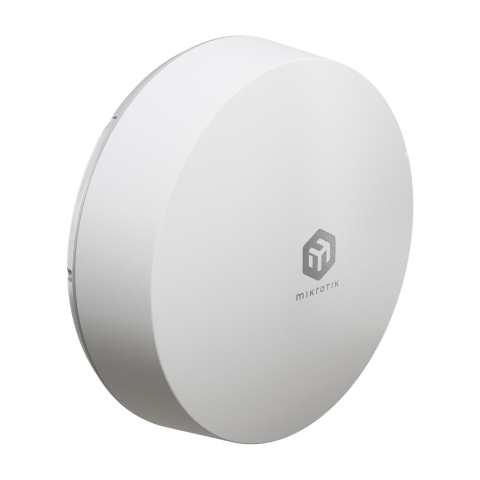
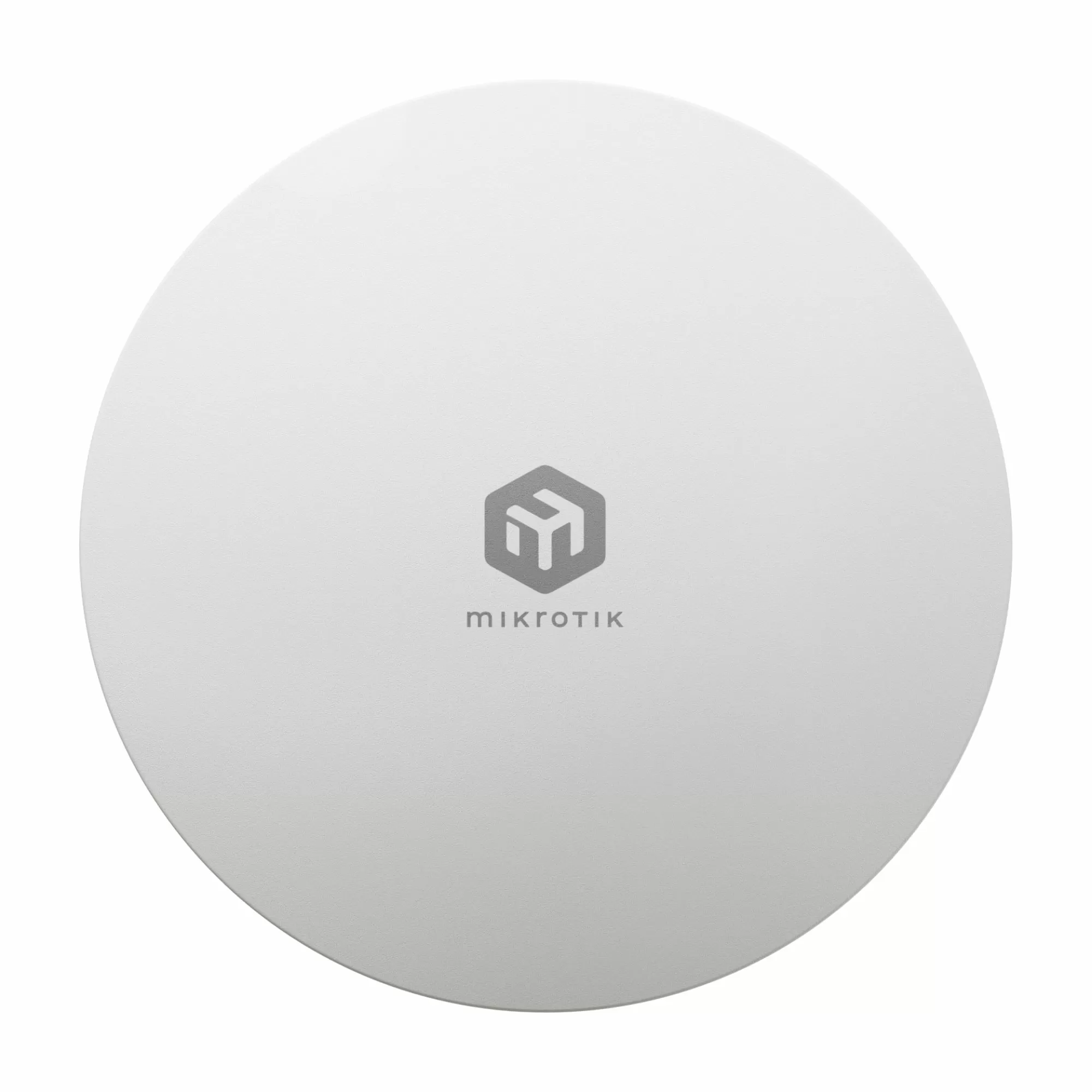
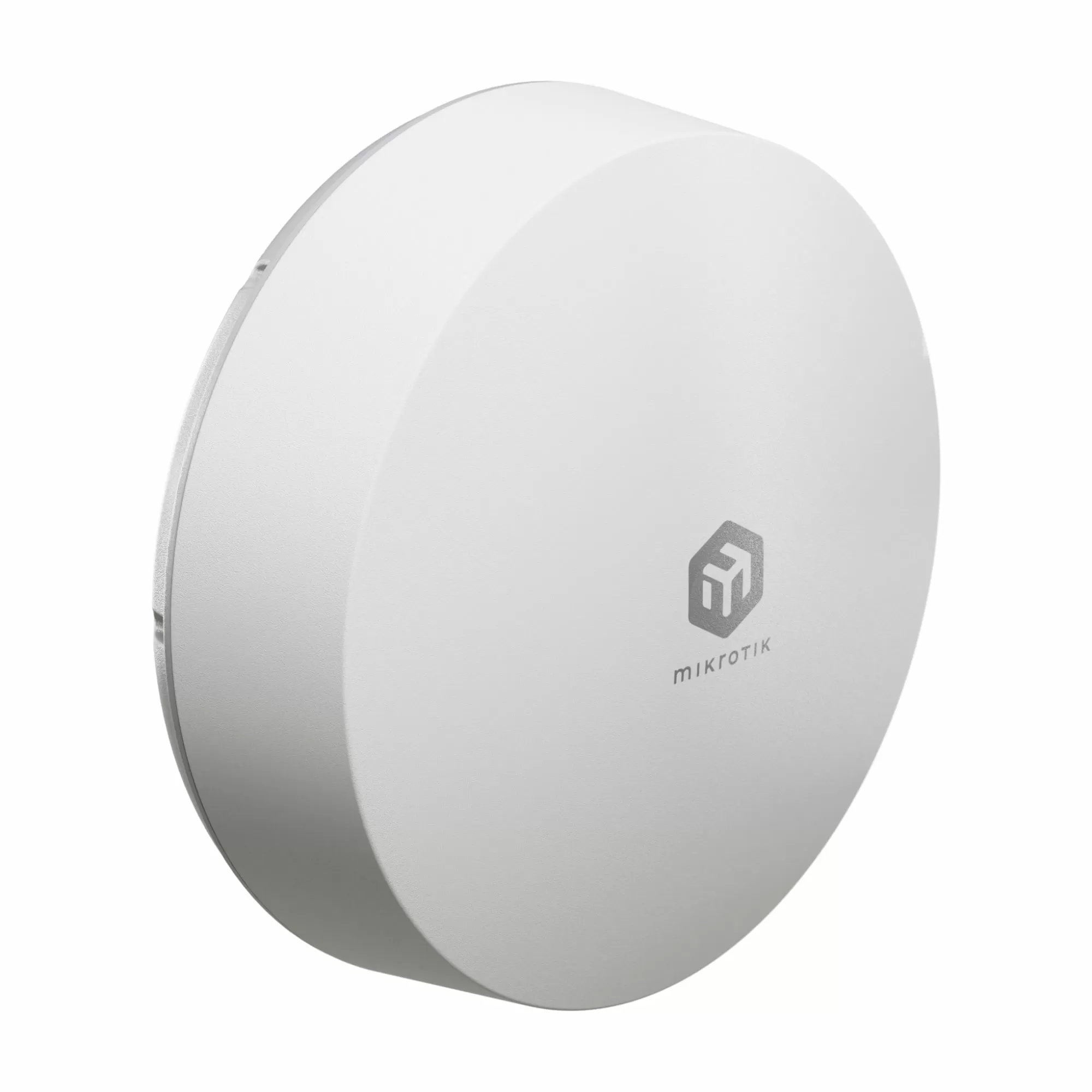
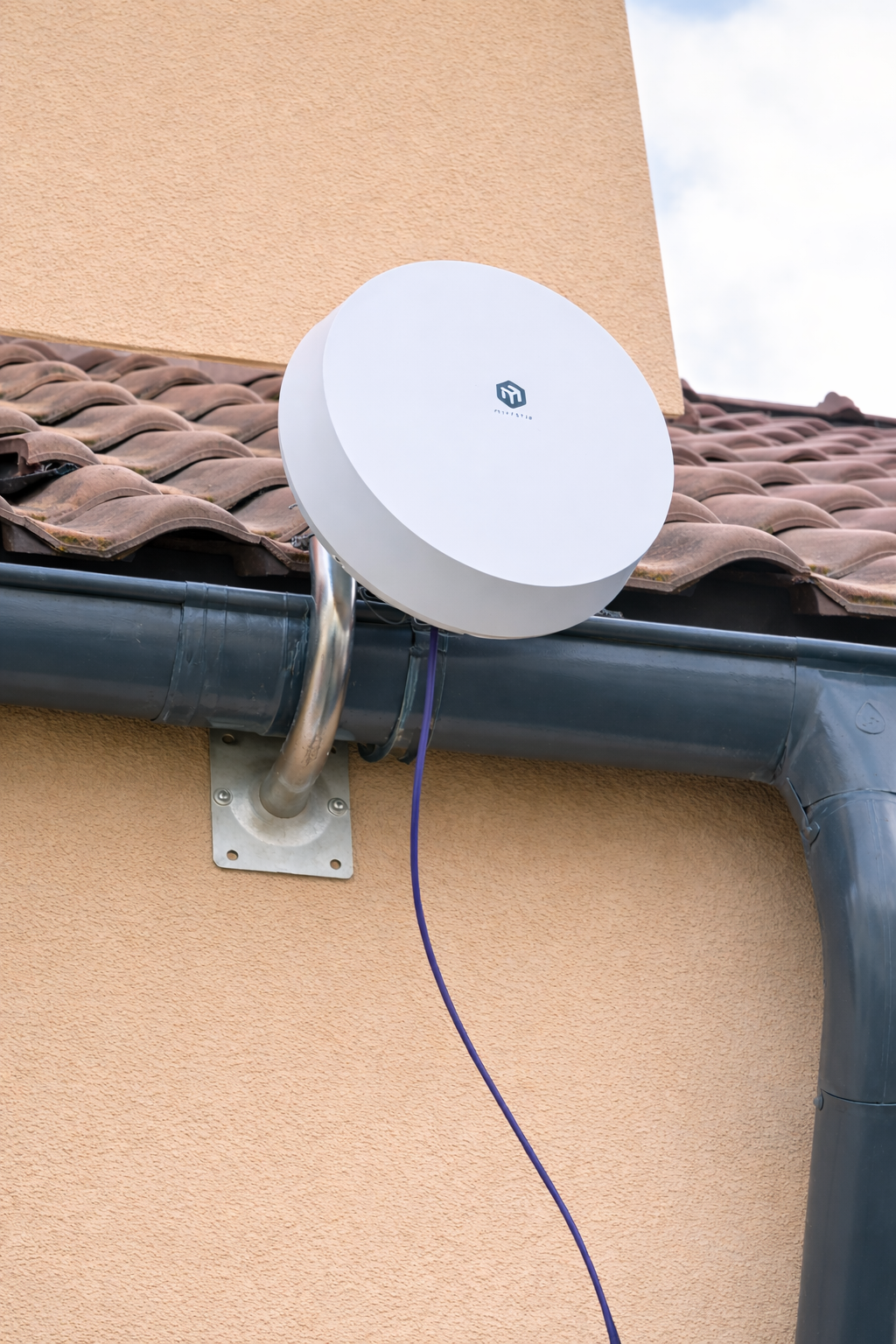
MikroTik ATL 5G R16 is an outdoor 5G/LTE router with an integrated 16 dBi directional antenna and 4×4 MIMO. It is installed outside and aligned toward the base station.
For related categories and installation context, you can compare other 5G Routers, explore broader LTE products, and review MikroTik Mobile Network Products that serve similar mobile connectivity use cases.
1) 16 dBi directional antenna
Outdoor placement reduces losses from walls and indoor reflections. Better SINR typically translates into more stable modulation and more consistent throughput.
2) 4×4 MIMO support
Many consumer LTE devices run in 2×2 MIMO. ATL 5G R16 supports 4×4 MIMO (four spatial streams). If the operator supports it, this increases throughput and improves stability under load.
3) Band control and carrier aggregation monitoring
RouterOS v7 allows manual band selection (band lock), signal monitoring, and connection control. In some locations this helps avoid congested sectors and keep speed more predictable.
4) 5G Release 16 modem
ATL 5G R16 is based on the Qualcomm X65 (5G Release 16). It supports 5G NSA and advanced carrier aggregation for modern operator networks.
Technical Specifications
| Modem | Quectel RG520F-EU |
| Antenna | 16 dBi directional |
| MIMO | 4×4 |
| Ethernet | 1× Gigabit Ethernet (PoE-in) |
| SIM | nanoSIM + eSIM |
| Housing | IP66 outdoor-rated |
| Operating System | RouterOS v7 |
Typical Indoor Router vs MikroTik ATL 5G R16
| Feature | Typical Indoor Router | MikroTik ATL 5G R16 | Why it matters |
| Placement | Indoor | Outdoor directional | Outdoor placement can reduce loss and improve usable signal quality. |
| Antenna type | Omnidirectional | Directional 16 dBi antenna | Directional gain helps focus on the serving tower more effectively. |
| MIMO | Often 2x2 | 4x4 | Higher spatial capability can improve throughput and stability when supported by the network. |
| Signal control | Limited | RouterOS diagnostics and control | Deeper monitoring helps troubleshoot difficult installations. |
| Band lock | Often unavailable or limited | Available in RouterOS | Can help avoid congested or less efficient bands. |
| Outdoor use | Usually no | Yes | Outdoor deployment matters where indoor placement performs poorly. |
| Stability in difficult environments | Can be inconsistent | Designed for difficult installations | Useful in rural, remote and interference-prone scenarios |
When MikroTik ATL 5G R16 helps most
- When indoor signal is present but unstable
- When the router needs better tower focus and less interference
- In rural or remote locations where outdoor placement matters
- When you need RouterOS-level diagnostics and control
- When directional gain can improve usable signal quality
- Private homes in rural areas
- Remote offices and warehouses
- Industrial sites without fiber connectivity
- Backup connectivity for business operations
When it may not solve the problem
If the base station is overloaded and has no available capacity, no device can create additional throughput. ATL improves available signal quality and control, but it cannot replace operator infrastructure
- When the mobile operator's base station is overloaded
- When the network has limited available capacity
- When the bottleneck is upstream congestion rather than local radio conditions
- When the issue is not related to signal quality, placement or antenna performance
Installation Recommendations
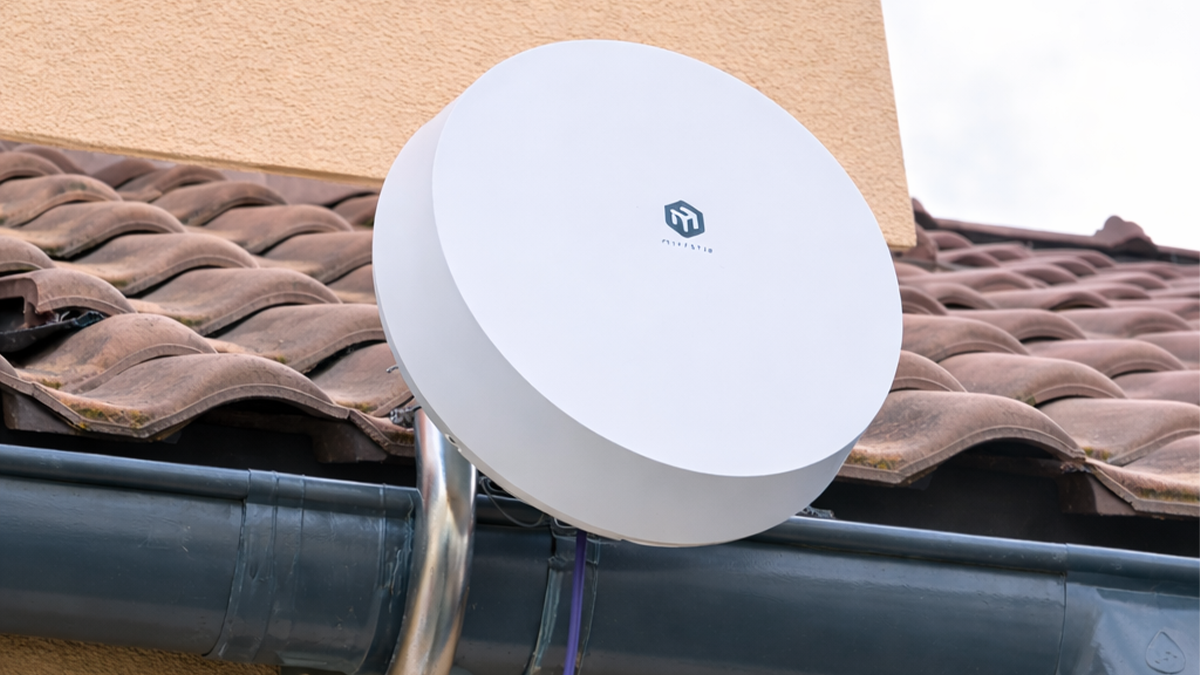
A directional device depends heavily on placement and alignment. Under the same network conditions, installation quality often makes the largest difference.
Install the device as high as possible
Mount outdoors when possible, ideally above the roof line. Even +2–3 meters can improve SINR and reduce reflections.
Minimize obstacles toward the base station
Dense buildings, metal structures, and trees degrade signal quality. If line of sight is not possible, choose a point with the least obstruction toward the sector.
Align the device carefully
After initial alignment toward the nearest base station, fine-tune using the same metrics you will verify later in RouterOS. Focus on improving SINR first, then confirm RSRQ and band/CA consistency.
Use a quality outdoor Ethernet cable
Use an outdoor-rated Ethernet cable. Prefer a single continuous cable without intermediate connectors to reduce instability in both PoE power and data.
For outdoor installation hardware, see Mounts and Brackets.
RouterOS: what to check after installation
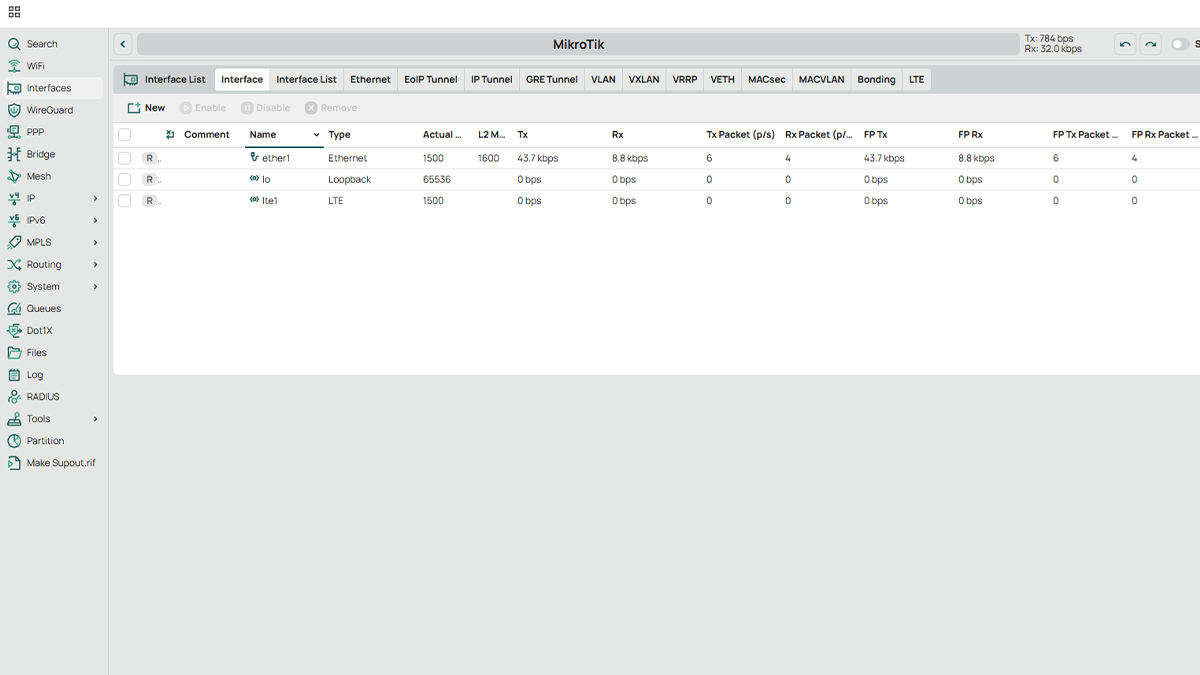
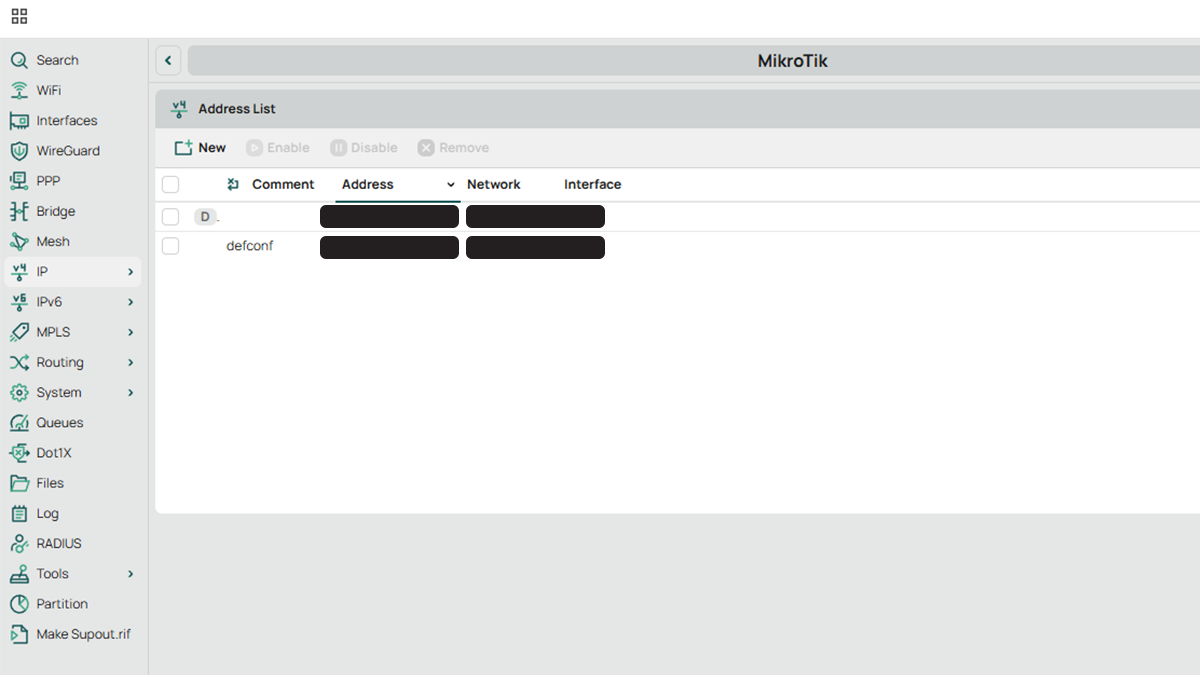
After installation, it is recommended to verify the connection parameters in RouterOS. Basic checks are available via the web interface (WebFig) or via WinBox.
1) Initial connection and login
Connect the device via Ethernet through the PoE injector to a laptop or PC. Log in using WebFig or WinBox with the default credentials from the manual.
2) SIM status and mobile session
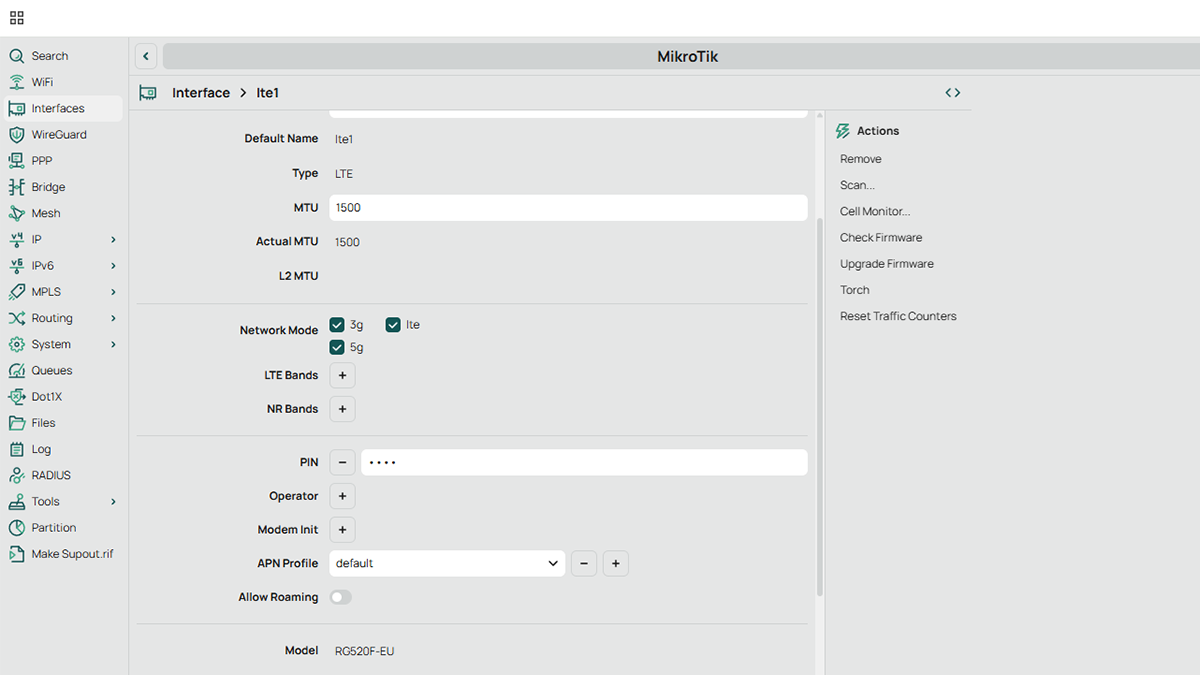
Confirm that the SIM is detected, the mobile session is active, and an IP address is received from the operator.
If the SIM is PIN-protected, enter the PIN in the corresponding field, then confirm that the status changes to active.
3) Signal parameters (LTE/5G)
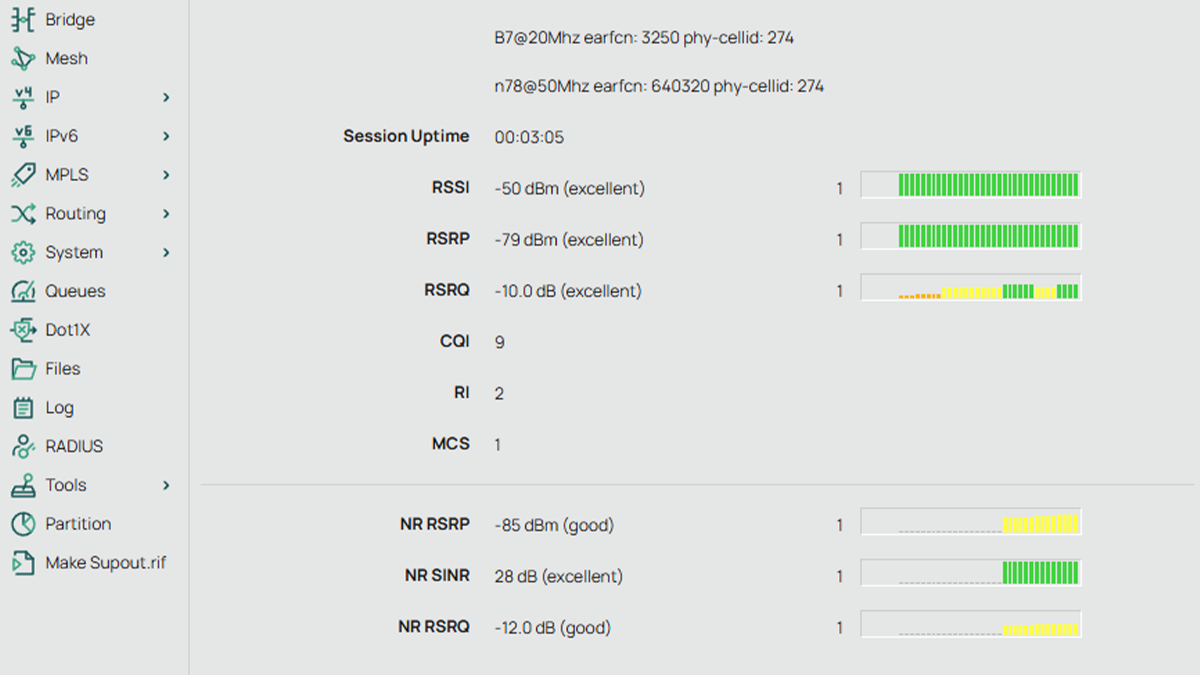
In the LTE/5G section, check the core metrics:
- RSRP
- RSRQ
- SINR
- Band (used frequency band)
- Carrier aggregation (CA), if shown
4) Band lock (optional)
During evening congestion it can help to lock a specific band. Some bands are less loaded and provide steadier speed even with slightly weaker RSRP.
5) IP mode for connection to a home router
If ATL is connected to a home router, verify that the WAN side uses dynamic IP (DHCP Client enabled). This is the most typical scenario for home/SMB deployments.
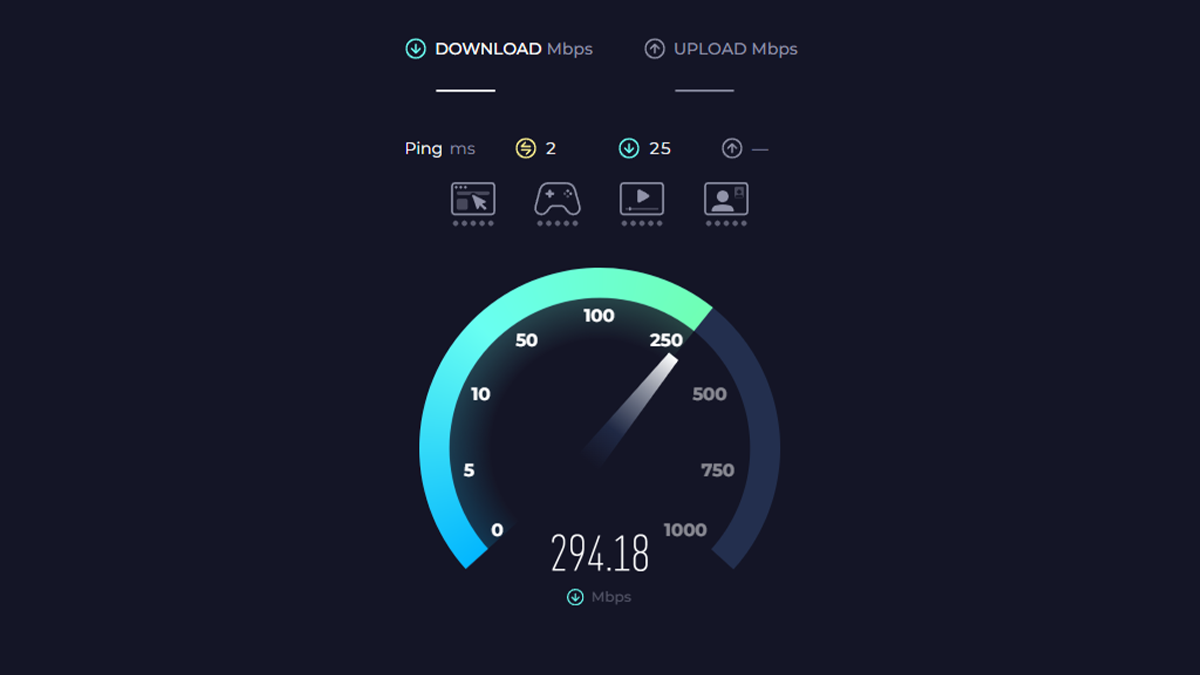
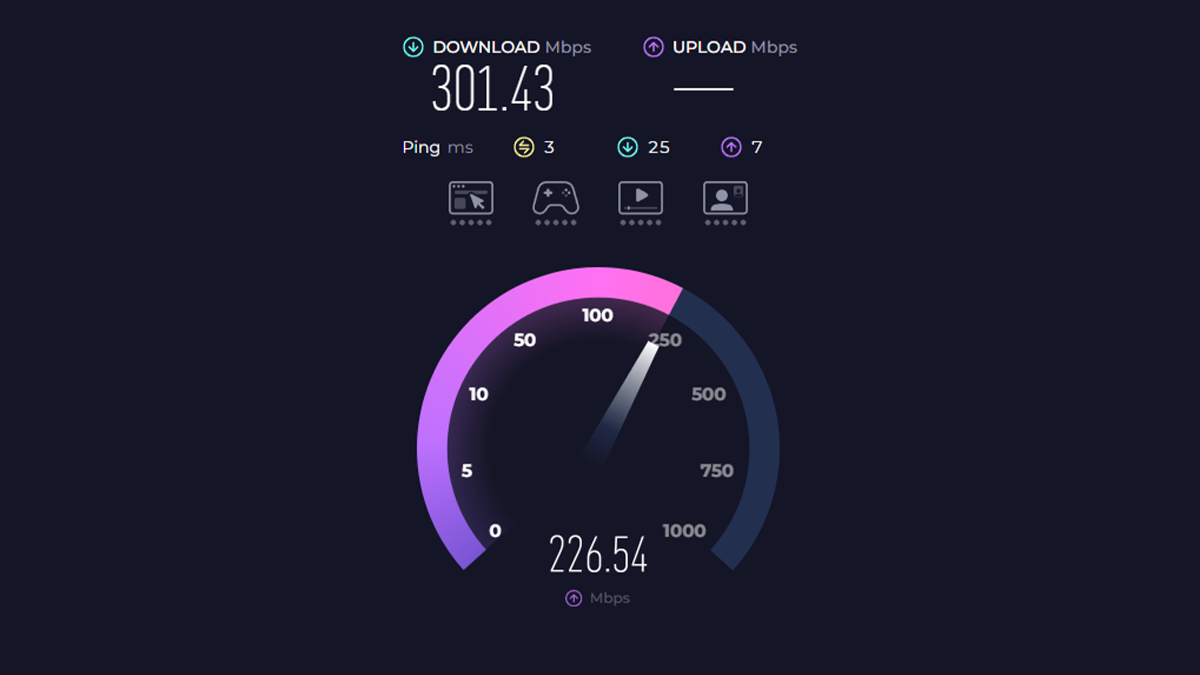
6) Speed test
Run a speed test at different times of day. Final speed depends not only on the device and signal, but also on current operator load.
Conclusion
ATL 5G R16 is a practical outdoor solution when you need more stable mobile connectivity and the ability to measure and control key parameters. With correct placement and RouterOS checks, performance becomes more predictable compared to typical indoor routers.
Sources and references
This article is based on practical deployment considerations and technical characteristics related to 5G signal quality, outdoor directional equipment and MikroTik ATL 5G R16 capabilities. For official specifications and supporting documentation, refer to: