%20-%20https://sketch.com%20--%3e%3ctitle%3esearch_ico%3c/title%3e%3cdesc%3eCreated%20with%20Sketch.%3c/desc%3e%3cg%20id='elements'%20stroke='none'%20stroke-width='1'%20fill='none'%20fill-rule='evenodd'%3e%3cg%20id='svg_elements'%20transform='translate(-372.000000,%20-152.000000)'%20fill='%23131515'%3e%3cpath%20d='M387.655562,160.498039%20C387.655562,162.294118%20386.925169,163.922549%20385.746738,165.102941%20C385.745758,165.104902%20385.743797,165.104902%20385.742816,165.105882%20C385.740856,165.107843%20385.740856,165.108824%20385.739875,165.110784%20C384.558503,166.289216%20382.930071,167.019608%20381.133993,167.019608%20C377.537914,167.019608%20374.612424,164.094118%20374.612424,160.498039%20C374.612424,156.901961%20377.537914,153.976471%20381.133993,153.976471%20C384.730071,153.976471%20387.655562,156.901961%20387.655562,160.498039%20M381.133993,152%20C378.864385,152%20376.730071,152.884314%20375.125169,154.489216%20C373.520267,156.094118%20372.635954,158.228431%20372.635954,160.498039%20C372.635954,162.767647%20373.520267,164.901961%20375.125169,166.506863%20C376.730071,168.112745%20378.863405,168.996078%20381.133993,168.996078%20C383.070267,168.996078%20384.905562,168.348039%20386.399679,167.161765%20L390.948699,171.710784%20C391.134973,171.897059%20391.383993,172%20391.647718,172%20C391.911444,172%20392.159483,171.897059%20392.345758,171.710784%20C392.533012,171.52451%20392.635954,171.276471%20392.635954,171.011765%20C392.635954,170.748039%20392.533012,170.5%20392.346738,170.312745%20L387.797718,165.763725%20C388.983012,164.269608%20389.632032,162.434314%20389.632032,160.498039%20C389.632032,158.228431%20388.747718,156.094118%20387.142816,154.489216%20C385.537914,152.884314%20383.403601,152%20381.133993,152'%20id='search_ico'%3e%3c/path%3e%3c/g%3e%3c/g%3e%3c/svg%3e)
%20-%20https://sketch.com%20--%3e%3ctitle%3ebasket_ico%3c/title%3e%3cdesc%3eCreated%20with%20Sketch.%3c/desc%3e%3cg%20id='elements'%20stroke='none'%20stroke-width='1'%20fill='none'%20fill-rule='evenodd'%3e%3cg%20id='svg_elements'%20transform='translate(-604.000000,%20-152.000000)'%20fill='%23FFFFFF'%20fill-rule='nonzero'%3e%3cpath%20d='M617.885886,152.156132%20C618.251208,151.893333%20618.764816,151.969846%20619.033242,152.328759%20L619.033242,152.328759%20L623.508326,158.308798%20L625.787011,158.308798%20C626.028367,158.308798%20626.257391,158.412965%20626.413369,158.593644%20C626.569346,158.774324%20626.636377,159.013262%20626.596631,159.246552%20L626.596631,159.246552%20L624.544393,171.326984%20C624.478478,171.715449%20624.136145,172%20623.734729,172%20L623.734729,172%20L607.48092,172%20C607.079805,172%20606.737214,171.715154%20606.671257,171.326984%20L606.671257,171.326984%20L604.619019,159.246552%20C604.579358,159.013009%20604.64639,158.774366%20604.802367,158.593686%20C604.958344,158.413007%20605.187368,158.30884%20605.428725,158.30884%20L605.428725,158.30884%20L607.488225,158.30884%20L611.963352,152.328759%20C612.231779,151.970352%20612.745644,151.893038%20613.110966,152.156132%20C613.476287,152.419478%20613.55535,152.923365%20613.286923,153.282026%20L613.286923,153.282026%20L609.525167,158.30884%20L621.471685,158.30884%20L617.709929,153.282026%20C617.44176,152.923661%20617.520307,152.419478%20617.885886,152.156132%20Z%20M624.818105,159.919568%20L606.397674,159.919568%20L608.176286,170.389273%20L623.039492,170.389273%20L624.818105,159.919568%20Z%20M615.607889,161.798742%20C616.061297,161.798742%20616.428767,162.159258%20616.428767,162.604085%20L616.428767,162.604085%20L616.428767,167.892644%20C616.428767,168.337766%20616.061297,168.698028%20615.607889,168.698028%20C615.154481,168.698028%20614.787011,168.337513%20614.787011,167.892686%20L614.787011,167.892686%20L614.787011,162.604085%20C614.787011,162.159258%20615.154481,161.798742%20615.607889,161.798742%20Z%20M619.849179,161.798742%20C620.302587,161.798742%20620.670057,162.159258%20620.670057,162.604085%20L620.670057,162.604085%20L620.670057,167.892644%20C620.6701,168.337766%20620.30263,168.698028%20619.849179,168.698028%20C619.395771,168.698028%20619.028301,168.337513%20619.028301,167.892686%20L619.028301,167.892686%20L619.028301,162.604085%20C619.028301,162.159258%20619.395771,161.798742%20619.849179,161.798742%20Z%20M611.366599,161.798742%20C611.820007,161.798742%20612.187478,162.159258%20612.187478,162.604085%20L612.187478,162.604085%20L612.187478,167.892644%20C612.187478,168.337766%20611.820007,168.698028%20611.366599,168.698028%20C610.913191,168.698028%20610.545721,168.337513%20610.545721,167.892686%20L610.545721,167.892686%20L610.545721,162.604085%20C610.545721,162.159258%20610.913191,161.798742%20611.366599,161.798742%20Z'%20id='basket_ico'%3e%3c/path%3e%3c/g%3e%3c/g%3e%3c/svg%3e)
Coverage, 6 GHz support, client capacity and uplink speed solve different network problems. U7 Long-Range focuses on stronger 5 GHz coverage, U7 Pro adds 6 GHz, while the XG models become relevant when the wired network can use a 10 GbE uplink.
The right model depends on the building layout, active clients and available switching and PoE infrastructure.
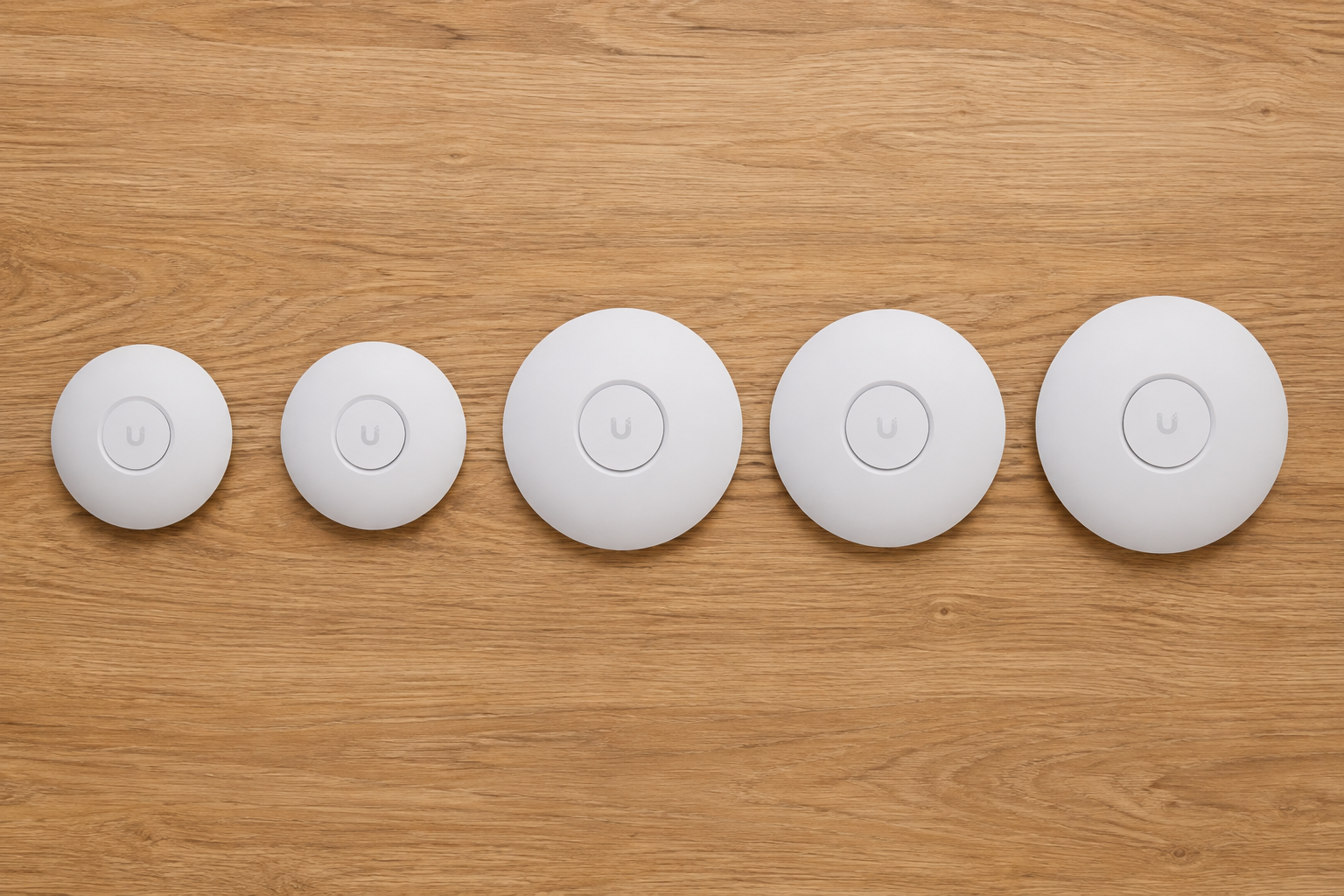
Three UniFi access points compared by size
Key takeaways
- U7 Lite is the practical option for apartments, small offices and cost-sensitive multi-AP deployments.
- U7 Long-Range increases 5 GHz capacity and stated coverage, but does not include 6 GHz.
- U7 Pro is the balanced tri-band option when 6 GHz matters and 2.5 GbE is sufficient.
- U7 Pro XG adds a 10 GbE uplink but keeps the same six-stream radio class as U7 Pro.
- U7 Pro XGS adds higher 5 GHz capacity, support for 500+ clients and real-time spectral analysis.
- Placement, cabling and channel planning usually affect the result more than the model name alone.
Table of contents
What separates the U7 models?
The main differences are supported bands, radio capacity, wired uplink and deployment scale.
U7 Long-Range offers a stated coverage area of 160 m² and 3x3 MIMO on 5 GHz. U7 Pro has a smaller stated area of 140 m² but adds 6 GHz. U7 Pro XG replaces the 2.5 GbE uplink with 10 GbE without increasing the number of spatial streams. U7 Pro XGS combines 10 GbE with 4x4 MIMO on 5 GHz, support for 500+ clients and a dedicated spectral scanning radio.
Stated coverage is only a planning reference. Walls, floors, metal structures, neighbouring networks and AP placement can reduce the usable area. In difficult layouts, several wired access points are usually more predictable than one high-end model.
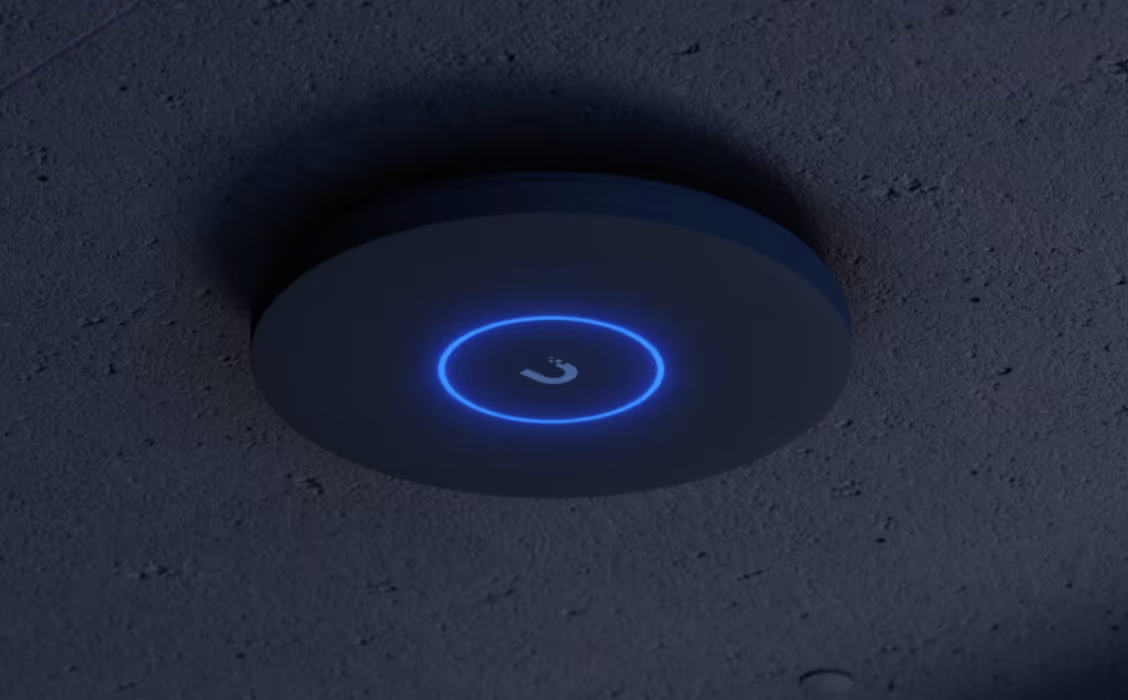
UniFi access point mounted on a concrete ceiling
Which specifications matter?
2.4, 5 and 6 GHz
2.4 GHz provides longer reach and better obstacle penetration, but usually offers less capacity and more interference.
5 GHz provides the best balance of speed and coverage for most current networks.
6 GHz adds cleaner spectrum and wider channels for compatible Wi-Fi 6E and Wi-Fi 7 clients. Its useful range is shorter, and walls affect it more strongly.
Wi-Fi 7 does not automatically mean 6 GHz. U7 Lite and U7 Long-Range are dual-band Wi-Fi 7 access points.
Spatial streams
Spatial streams describe the parallel capacity of the radio system. They matter most when many devices are active at the same time.
Most phones and laptops use 2x2 radios, so an eight-stream access point does not give one client eight streams. The additional capacity is shared across connected devices.
2.5 GbE or 10 GbE
The Ethernet uplink carries the combined traffic of all wireless clients.
A 10 GbE port is useful when several fast clients access local servers, workstations or storage at the same time. It does not guarantee 10 Gbps to one wireless device and provides little benefit when the rest of the network is limited to 1 or 2.5 GbE.
PoE requirements
- U7 Lite and U7 Long-Range use PoE.
- U7 Pro and U7 Pro XG use PoE+.
- U7 Pro XGS requires PoE++.
The switch must support both the required PoE standard and the total power budget for all connected access points.
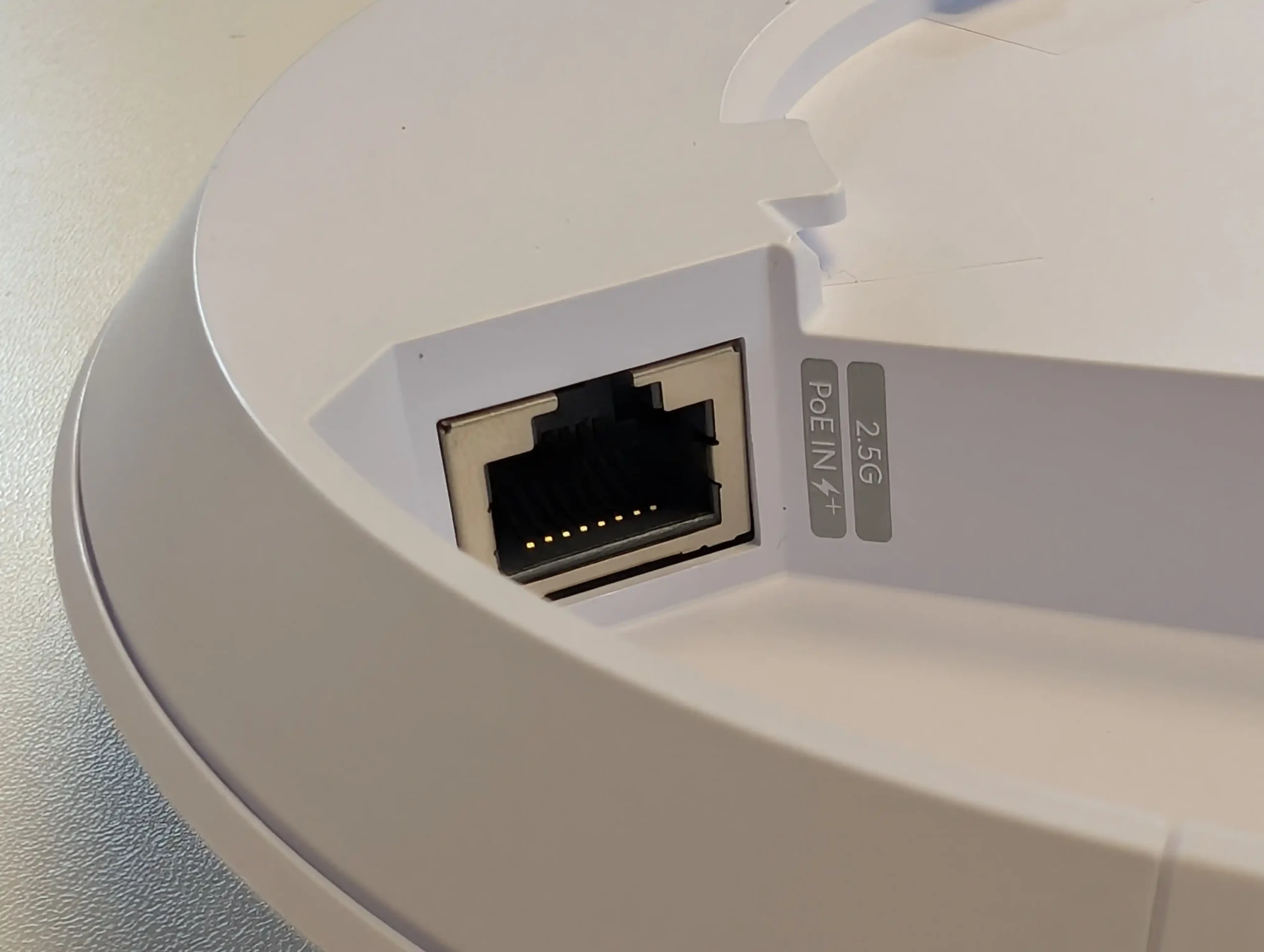
2.5 GbE port with PoE input
Main specifications
| Feature | U7 Lite | U7 Long-Range | U7 Pro | U7 Pro XG | U7 Pro XGS |
| Bands | 2.4 / 5 GHz | 2.4 / 5 GHz | 2.4 / 5 / 6 GHz | 2.4 / 5 / 6 GHz | 2.4 / 5 / 6 GHz |
| Spatial streams | 4 | 5 | 6 | 6 | 8 |
| Stated coverage | 115 m² | 160 m² | 140 m² | 140 m² | 160 m² |
| Max. clients | 200+ | 300+ | 300+ | 300+ | 500+ |
| Uplink | 2.5 GbE | 2.5 GbE | 2.5 GbE | 10 GbE | 10 GbE |
| 5 GHz MIMO | 2×2 | 3×3 | 2×2 | 2×2 | 4×4 |
| 6 GHz | No | No | Yes | Yes | Yes |
| Spectral analysis | No | No | No | No | Yes |
| Power | PoE | PoE | PoE+ | PoE+ | PoE++ |
| Max. consumption | 13 W | 14 W | 21 W | 22 W | 29 W |
The figures above are based on current official Ubiquiti technical specifications.
Which model fits each scenario?
When is U7 Lite enough?
U7 Lite is suited to apartments, small offices, classrooms, hotel rooms and other compact areas.
It provides a 2.5 GbE uplink, four spatial streams and Wi-Fi 7 on 2.4 and 5 GHz. It is also a practical choice for layouts where several affordable access points are preferable to one more expensive unit.
Where does U7 Long-Range make sense?
U7 Long-Range is intended for installations where 5 GHz coverage and capacity matter more than 6 GHz.
Its 3x3 radio on 5 GHz and stated 160 m² coverage make it relevant for larger open areas and networks where most clients still use 5 GHz.
It should not be treated as a replacement for additional access points in buildings with thick walls or several floors.
When should U7 Pro be selected?
U7 Pro is the balanced option for a modern home or office with Wi-Fi 6E or Wi-Fi 7 clients.
It adds 6 GHz, supports 300+ clients and uses a 2.5 GbE PoE+ uplink. It fits networks that need cleaner spectrum and higher short-range capacity without moving to 10 GbE.
What does U7 Pro XG add?
U7 Pro XG keeps the six-stream tri-band design of U7 Pro and adds a 10 GbE uplink.
The upgrade is relevant when the network already includes 10 GbE switching, fast local storage or several high-throughput clients. In a network limited to 1 or 2.5 GbE, the difference may be small.
When is U7 Pro XGS justified?
U7 Pro XGS is designed for denser offices, training rooms, conference areas and other locations with many active clients.
Its 4x4 5 GHz radio, 500+ client rating and 10 GbE uplink provide more aggregate capacity. The dedicated spectral scanning radio can also help identify interference and improve channel planning.
What can real-world tests show?
Short-range tests with compatible Wi-Fi 7 clients can show gigabit-class local throughput, especially on 6 GHz or a wide 5 GHz channel.
However, one peak result does not predict performance across an entire building. Speed changes with the client device, distance, walls, channel width, interference and wired uplink.
A 10 GbE access point may not outperform a 2.5 GbE model in a single-client test because the wireless client or radio conditions remain the bottleneck.
What should be checked after installation?
| Indicator | What it shows | Why it matters |
| RSSI | Client signal level | Around -70 dBm or better is a practical target for stable use. |
| Channel utilization | How busy the channel is | Strong signal can still perform poorly on a heavily used channel. |
| Interference | Competing RF activity | High interference increases retries and reduces usable capacity. |
| Retries | Frames transmitted again | High values can indicate interference or weak signal. |
| PHY rate | Theoretical client link rate | Real throughput is always lower. |
| Uplink speed | Negotiated Ethernet speed | A 1 GbE link or faulty cable can limit the access point. |
For general deployments, 20 MHz on 2.4 GHz and 80 MHz on 5 GHz are practical starting points. In denser networks, 40 MHz on 5 GHz can improve channel reuse. On 6 GHz, 160 or 320 MHz can be used when clients and local conditions support it.
When it helps / When it will not help
When it helps
- coverage must be distributed across several rooms or work zones;
- multiple access points need shared configuration and monitoring;
- many clients are active at the same time;
- guest networks, VLANs or separate access policies are required;
- the wired network is moving to 2.5 or 10 GbE;
- 6 GHz is needed for compatible clients;
- wireless issues must be diagnosed using RF and client data.
When it will not help
- the internet connection is the bottleneck;
- the access point is installed in a cabinet or behind several thick walls;
- the client supports only an older Wi-Fi standard;
- the Ethernet cable negotiates at 1 GbE or has physical faults;
- the selected channel is congested;
- a 10 GbE model is connected to a slower network;
- wireless mesh is used instead of wired backhaul under heavy load.
What should be checked before installation?
- which clients support Wi-Fi 6E, Wi-Fi 7 and 6 GHz;
- the floor plan and wall materials;
- the number of simultaneously active clients;
- whether 5 GHz coverage or 6 GHz capacity is the priority;
- switch port speed and available PoE budget;
- whether Ethernet is available at every AP location;
- whether cabling supports the target uplink speed;
- how the result will be tested after installation.
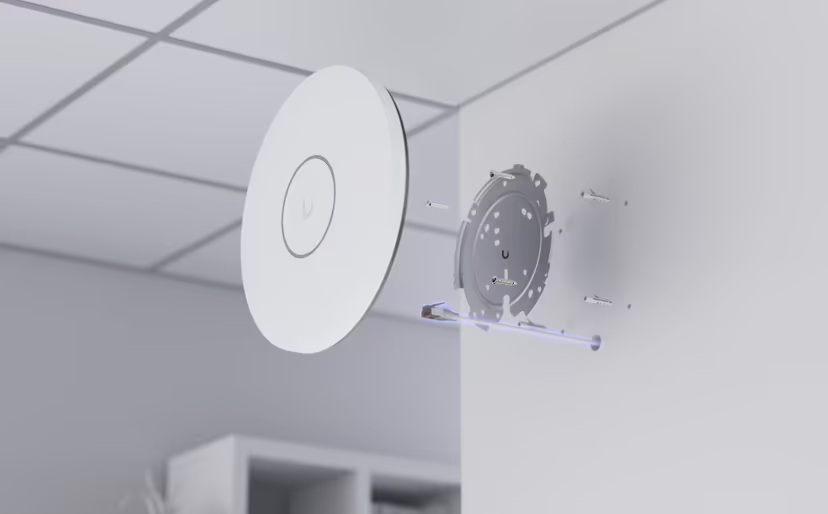
Wall mounting with Ethernet and PoE
Conclusion
There is no universal best model in the U7 range.
U7 Lite fits compact and cost-sensitive deployments. U7 Long-Range prioritizes 5 GHz coverage. U7 Pro adds 6 GHz. U7 Pro XG is relevant for a 10 GbE edge, while U7 Pro XGS targets higher client density and RF diagnostics.
The correct choice starts with the main limitation of the building and the network infrastructure supporting the access point. A well-placed mid-range model usually provides more value than a higher-end unit installed where its signal cannot reach the required clients.
Sources and references
- U7 Lite - Getic product page
- U7 Long-Range - Getic product page
- U7 Pro - Getic product page
- U7 Pro XG - Getic product page
- U7 Pro XGS - Getic product page
- U7 Lite - Ubiquiti technical specifications
- U7 Long-Range - Ubiquiti technical specifications
- U7 Pro - Ubiquiti technical specifications
- U7 Pro XG - Ubiquiti technical specifications
- U7 Pro XGS - Ubiquiti technical specifications
- Ubiquiti - Optimizing WiFi Connectivity and Reducing Latency
- Ubiquiti - Maximizing Wireless Speeds
- Ubiquiti - Getting Started with 6 GHz


