%20-%20https://sketch.com%20--%3e%3ctitle%3esearch_ico%3c/title%3e%3cdesc%3eCreated%20with%20Sketch.%3c/desc%3e%3cg%20id='elements'%20stroke='none'%20stroke-width='1'%20fill='none'%20fill-rule='evenodd'%3e%3cg%20id='svg_elements'%20transform='translate(-372.000000,%20-152.000000)'%20fill='%23131515'%3e%3cpath%20d='M387.655562,160.498039%20C387.655562,162.294118%20386.925169,163.922549%20385.746738,165.102941%20C385.745758,165.104902%20385.743797,165.104902%20385.742816,165.105882%20C385.740856,165.107843%20385.740856,165.108824%20385.739875,165.110784%20C384.558503,166.289216%20382.930071,167.019608%20381.133993,167.019608%20C377.537914,167.019608%20374.612424,164.094118%20374.612424,160.498039%20C374.612424,156.901961%20377.537914,153.976471%20381.133993,153.976471%20C384.730071,153.976471%20387.655562,156.901961%20387.655562,160.498039%20M381.133993,152%20C378.864385,152%20376.730071,152.884314%20375.125169,154.489216%20C373.520267,156.094118%20372.635954,158.228431%20372.635954,160.498039%20C372.635954,162.767647%20373.520267,164.901961%20375.125169,166.506863%20C376.730071,168.112745%20378.863405,168.996078%20381.133993,168.996078%20C383.070267,168.996078%20384.905562,168.348039%20386.399679,167.161765%20L390.948699,171.710784%20C391.134973,171.897059%20391.383993,172%20391.647718,172%20C391.911444,172%20392.159483,171.897059%20392.345758,171.710784%20C392.533012,171.52451%20392.635954,171.276471%20392.635954,171.011765%20C392.635954,170.748039%20392.533012,170.5%20392.346738,170.312745%20L387.797718,165.763725%20C388.983012,164.269608%20389.632032,162.434314%20389.632032,160.498039%20C389.632032,158.228431%20388.747718,156.094118%20387.142816,154.489216%20C385.537914,152.884314%20383.403601,152%20381.133993,152'%20id='search_ico'%3e%3c/path%3e%3c/g%3e%3c/g%3e%3c/svg%3e)
%20-%20https://sketch.com%20--%3e%3ctitle%3ebasket_ico%3c/title%3e%3cdesc%3eCreated%20with%20Sketch.%3c/desc%3e%3cg%20id='elements'%20stroke='none'%20stroke-width='1'%20fill='none'%20fill-rule='evenodd'%3e%3cg%20id='svg_elements'%20transform='translate(-604.000000,%20-152.000000)'%20fill='%23FFFFFF'%20fill-rule='nonzero'%3e%3cpath%20d='M617.885886,152.156132%20C618.251208,151.893333%20618.764816,151.969846%20619.033242,152.328759%20L619.033242,152.328759%20L623.508326,158.308798%20L625.787011,158.308798%20C626.028367,158.308798%20626.257391,158.412965%20626.413369,158.593644%20C626.569346,158.774324%20626.636377,159.013262%20626.596631,159.246552%20L626.596631,159.246552%20L624.544393,171.326984%20C624.478478,171.715449%20624.136145,172%20623.734729,172%20L623.734729,172%20L607.48092,172%20C607.079805,172%20606.737214,171.715154%20606.671257,171.326984%20L606.671257,171.326984%20L604.619019,159.246552%20C604.579358,159.013009%20604.64639,158.774366%20604.802367,158.593686%20C604.958344,158.413007%20605.187368,158.30884%20605.428725,158.30884%20L605.428725,158.30884%20L607.488225,158.30884%20L611.963352,152.328759%20C612.231779,151.970352%20612.745644,151.893038%20613.110966,152.156132%20C613.476287,152.419478%20613.55535,152.923365%20613.286923,153.282026%20L613.286923,153.282026%20L609.525167,158.30884%20L621.471685,158.30884%20L617.709929,153.282026%20C617.44176,152.923661%20617.520307,152.419478%20617.885886,152.156132%20Z%20M624.818105,159.919568%20L606.397674,159.919568%20L608.176286,170.389273%20L623.039492,170.389273%20L624.818105,159.919568%20Z%20M615.607889,161.798742%20C616.061297,161.798742%20616.428767,162.159258%20616.428767,162.604085%20L616.428767,162.604085%20L616.428767,167.892644%20C616.428767,168.337766%20616.061297,168.698028%20615.607889,168.698028%20C615.154481,168.698028%20614.787011,168.337513%20614.787011,167.892686%20L614.787011,167.892686%20L614.787011,162.604085%20C614.787011,162.159258%20615.154481,161.798742%20615.607889,161.798742%20Z%20M619.849179,161.798742%20C620.302587,161.798742%20620.670057,162.159258%20620.670057,162.604085%20L620.670057,162.604085%20L620.670057,167.892644%20C620.6701,168.337766%20620.30263,168.698028%20619.849179,168.698028%20C619.395771,168.698028%20619.028301,168.337513%20619.028301,167.892686%20L619.028301,167.892686%20L619.028301,162.604085%20C619.028301,162.159258%20619.395771,161.798742%20619.849179,161.798742%20Z%20M611.366599,161.798742%20C611.820007,161.798742%20612.187478,162.159258%20612.187478,162.604085%20L612.187478,162.604085%20L612.187478,167.892644%20C612.187478,168.337766%20611.820007,168.698028%20611.366599,168.698028%20C610.913191,168.698028%20610.545721,168.337513%20610.545721,167.892686%20L610.545721,167.892686%20L610.545721,162.604085%20C610.545721,162.159258%20610.913191,161.798742%20611.366599,161.798742%20Z'%20id='basket_ico'%3e%3c/path%3e%3c/g%3e%3c/g%3e%3c/svg%3e)
Sometimes the situation looks illogical: the internet plan is good, wired speed is fine, yet Wi‑Fi problems still appear. Video loads inconsistently, pages open with delay, video calls lose quality, and in a farther room the network is already noticeably weaker.
In such cases, the cause is often not the internet connection itself, but the internal wireless network. Real Wi‑Fi speed depends not only on the plan, but also on the router standard, interference level, number of clients, channel width, coverage quality, and how well the device itself handles load.
Below is a practical breakdown of the main reasons why Wi‑Fi becomes slow, and how MikroTik hAP ax3 differs from a typical home router.
Key Takeaways
- Slow Wi‑Fi does not always mean weak internet from the provider.
- Real speed is affected by coverage, interference, number of clients, band congestion, channel width, and the capabilities of the router itself.
- Labels such as AX3000 or AX5400 reflect the theoretical class of the device, not the real speed a single client will get in a home or office.
- MikroTik hAP ax3 supports Wi‑Fi 6, features a 1.8 GHz quad-core processor, 1 GB RAM, 4 gigabit ports, and one 2.5 Gigabit port, which makes it noticeably stronger than basic consumer models.
- RouterOS gives you more control over the network: you can fine-tune Wi‑Fi, segmentation, traffic priorities, and diagnostics more precisely.
- But even a good router will not solve the problem if the limitation is on the provider side, the client side, or in the overall network design.
Table of Contents
Why Is Wi‑Fi Slow Even with a Good Internet Connection?
If wired speed is fine but Wi‑Fi speed is poor, then the bottleneck is inside the local network. Usually, the issue is not caused by one reason, but by a combination of several factors.
Most often, this is weak coverage, congested radio spectrum, too many simultaneously active devices, poor router placement, an outdated Wi‑Fi standard, or insufficient router resources under load.
That is why a good internet plan alone still does not guarantee fast and stable Wi‑Fi.
What Factors Most Often Reduce Wi‑Fi Speed?
1. Weak Signal and Poor Coverage
The farther the device is from the router, the worse the reception conditions become. Walls, floors, furniture, mirrors, metal surfaces, and the overall room layout all affect this. Even if the network is still visible, real speed and stability at the edge of coverage may already drop sharply.
2. Band Congestion and Interference
Wi‑Fi operates in a shared radio environment. If there are many nearby networks, especially in an apartment building or a small office center, your router has to share airtime with other access points. This is particularly noticeable on 2.4 GHz, where there are fewer channels and usually more interference.
3. Too Many Clients
When laptops, TVs, cameras, smartphones, consoles, sensors, and other devices are connected to the same network at the same time, the router has a harder time distributing airtime and computing resources. The issue here is not only internet speed, but also how much load the router can actually handle.
4. Theoretical Speed on the Box and Real Client Speed Are Not the Same
Labels such as AX3000 reflect the combined theoretical capacity of the bands, not the real speed of a single device. In practice, a smartphone or laptop connects to one band at a time, and real throughput depends on the radio environment, number of MIMO streams, channel width, distance, and the client device itself.
5. Client Device Limitations
Even a powerful router will not deliver the maximum theoretical speed to one device if the client itself is limited by its antennas and radio module. In a home network, not only router power matters, but also how real smartphones, laptops, and TVs behave under load.
6. Channel Width Should Not Always Be Set to Maximum
On paper, wider channels look attractive, but in a real apartment environment they do not always produce a better result. The wider the channel, the higher the risk of overlap with neighboring networks and the stronger the effect of mutual interference. That is why maximum channel width is not a universal solution.
7. Outdated Wi‑Fi Standard and Weak Router Hardware
Older routers based on 802.11n or weak budget devices can become a bottleneck even with a decent internet plan. Modern Wi‑Fi 6 models use the spectrum more efficiently and generally behave much better in a busy network.
8. Limitations on the Provider Side
If wired speed is also low, then Wi‑Fi is not the problem. In that case, you need to check the line itself, the plan, provider congestion, or external network limitations.
What Does MikroTik hAP ax3 Do Better Than a Regular Router?
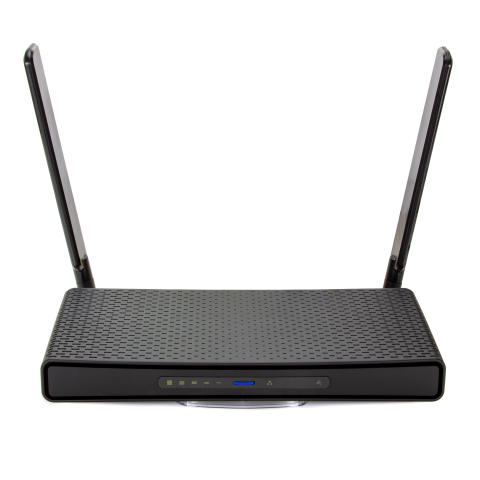
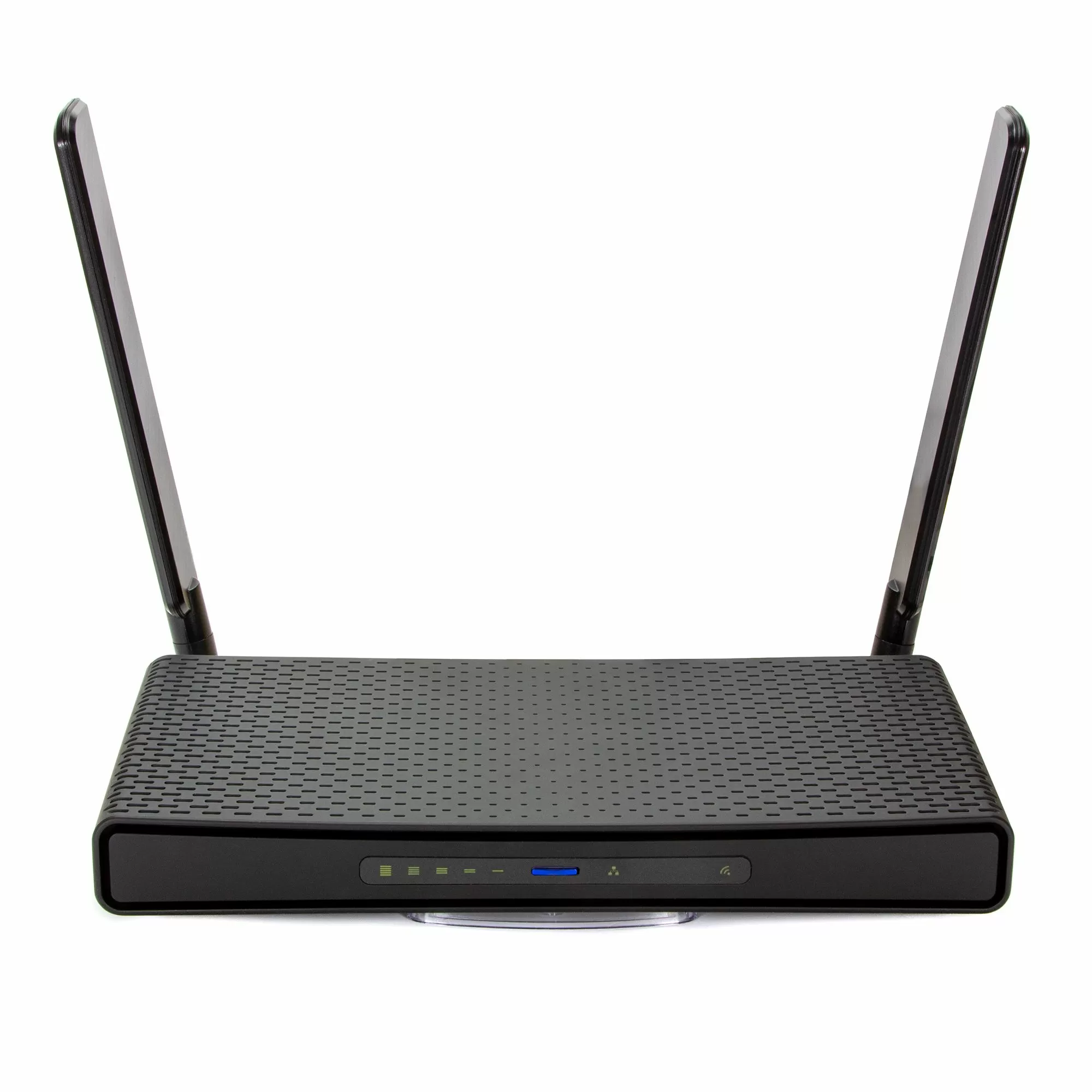
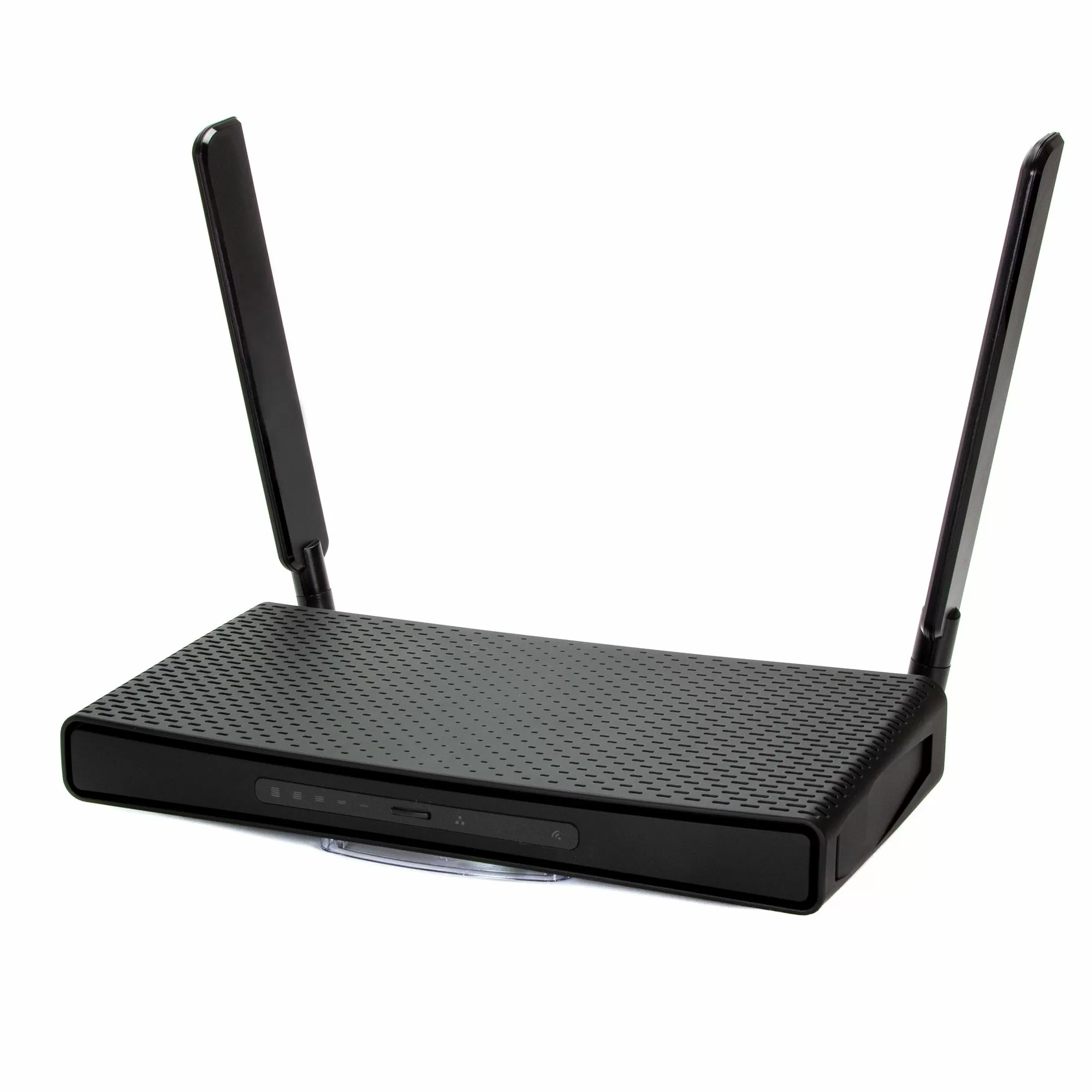
MikroTik hAP ax3 is not just another home router. It is a model with a noticeably more serious hardware and configuration reserve. It is designed not only for basic internet sharing, but also for denser and more predictable network operation at home or in a small office.
1. Wi‑Fi 6 Instead of Older Standards
hAP ax3 supports 802.11ax on both 2.4 GHz and 5 GHz. This matters not only for peak speed, but also for more efficient operation in an environment with many simultaneously connected devices.
2. Stronger Hardware Platform
The model has a 1.8 GHz quad-core IPQ-6010 processor, 1 GB RAM, and 128 MB NAND. This means more reserve for active clients, firewall rules, VLANs, VPNs, and more complex RouterOS scenarios.
3. Proper Wired Infrastructure
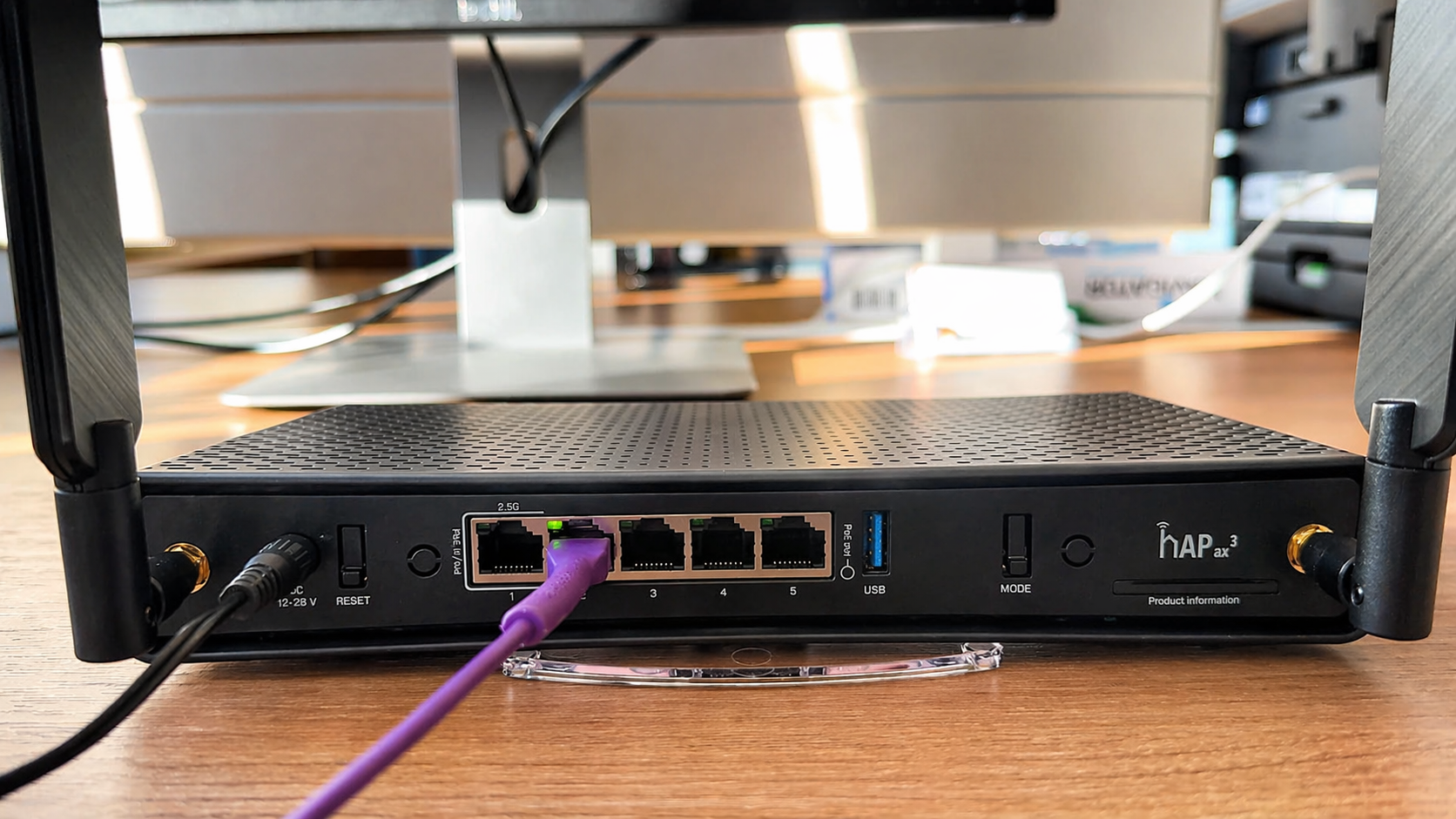
hAP ax3 includes four 1G Ethernet ports, one 2.5 Gigabit port, and USB 3.0. This is useful if the network is not limited to one laptop and one phone, but also includes a PC, NAS, TV, cameras, or additional hardware.
4. More Control with RouterOS
RouterOS allows you not just to distribute Wi‑Fi, but to actually manage the network: segment traffic, build separate networks, work with priorities, diagnose issues, and control wireless behavior more precisely.
5. A More Rational Choice for Networks Where Stability Matters as Much as Speed
In home and small office scenarios, a router often handles several traffic types at once: video calls, streaming, cameras, smart devices, cloud services, and VPN. In such conditions, not only the peak speed figure matters, but also stability under real load — and this is where CPU, memory, and configuration headroom become important.
Technical Specifications
| Specification | MikroTik hAP ax3 |
| Wi‑Fi | Dual-band Wi‑Fi 6 |
| CPU | Quad-Core IPQ-6010 1.8 GHz |
| RAM | 1 GB |
| Storage | 128 MB NAND |
| Ethernet | 4 × 1G + 1 × 2.5G |
| USB System | 1 × USB 3.0 |
| Software | RouterOS Level 6 |
Typical Home Router vs MikroTik hAP ax3
| Feature | Typical Home Router | MikroTik hAP ax3 | Why it matters |
| Wi‑Fi Standard | Often Wi‑Fi 5 or simplified Wi‑Fi 6 | Wi‑Fi 6 | Better performance under load and in dense environments. |
| CPU / Resources | Often weak hardware | Quad-core 1.8 GHz, 1 GB RAM | Handles more clients and more complex settings more reliably. |
| Wired Ports | Usually only 1G | 4 × 1G + 1 × 2.5G | More practical for a more serious home or office network. |
| Network Control | Basic | RouterOS | More diagnostics, flexibility, and control. |
| Room for Network Growth | Limited | Higher | Suitable not only for basic internet access. |
| Performance Under Load | Reaches its limits quickly | More stable | Important with many active devices. |
Where MikroTik hAP ax3 Helps Most
- In apartments and houses where the old router can no longer cope
- In small offices and home office scenarios
- In networks with many simultaneously active clients
- When you need not only Wi‑Fi, but also proper wired connectivity
- When diagnostics, segmentation, and stronger control through RouterOS matter
- When you want room for future growth rather than just a basic access point
When It Will Not Solve the Problem
It is important not to overestimate the device. MikroTik hAP ax3 is a strong router for its class, but it will not fix every network scenario on its own.
- If the provider plan itself is weak
- If wired speed is already low
- If coverage is needed across a very large area where multiple access points are more appropriate
- If the problem is caused by the client devices rather than the router
- If the network is poorly designed overall
What to Check After Installation
1. Router Placement
Do not place it inside a cabinet, in a corner, behind a TV, or next to large appliances. It is better to place it closer to the center of the coverage area and higher above floor level.
2. Band Usage
If some devices support 5 GHz, it makes sense to use that deliberately instead of leaving everything on one band.
3. Real Spectrum Congestion
Check whether neighboring networks are creating congestion and how the situation changes in the morning, evening, and during peak hours.
4. Channel Width
Do not choose the maximum channel width automatically just because “wider means better.” In a dense environment, a more moderate setting may deliver a more stable result.
5. Wired Speed vs Wi‑Fi Speed
Compare what the provider actually delivers over cable and what the user gets over Wi‑Fi near the router and in farther areas.
6. RouterOS Updates
Keep the system up to date, since new versions affect stability, security, and Wi‑Fi behavior.
7. Network Expansion Logic
If the network needs to be extended, it is important to understand that a cheap repeater or extender is not always the best path, because it can noticeably reduce real throughput. In more complex scenarios, multiple access points or a different coverage design may make more sense.
Conclusion
Slow Wi‑Fi does not always mean poor internet from the provider. Very often the problem comes down to an old router, weak coverage, congested radio spectrum, poor settings, or insufficient resources in the device itself.
MikroTik hAP ax3 is a good option for users who have outgrown a basic consumer router. It offers Wi‑Fi 6, a more serious hardware platform, stronger wired connectivity, and much more control through RouterOS. With proper placement and correct configuration, it can noticeably improve the stability and predictability of a home or small office network.